Home / Docs / Voice & Calling / Call Queues (ACD)
Call Queues (ACD)
A call queue answers every caller straight away, holds them in order, and rings your team one caller at a time. Nobody hears a busy signal, nobody lands in voicemail while three people are free, and nobody has to remember whose turn it is.
This is the piece that turns call forwarding into a phone system. Forwarding rings phones and hopes. A queue holds a line.
Where the queue actually lives
The queue runs on your own Twilio or Telnyx account, not on TelBuddy. Your caller waits on your carrier's infrastructure, hears hold music served by your carrier, and is connected by your carrier. TelBuddy decides who to ring and when, and stays out of the audio path entirely.
That is the same model as everything else here, described in How TelBuddy Works. It matters for two practical reasons. Call quality is whatever your carrier gives you, with no extra hop in the middle. And if TelBuddy is briefly unreachable, a caller already on hold stays on hold rather than being dropped.
Queues behave identically on Twilio and on Telnyx. Nothing in this article is carrier specific, and a queue works the same whether you connected Twilio, connected Telnyx, or are running both side by side.
Turning one on
Open Voice Settings, pick a number, and set Answered By to Call Queue (ACD). Save, and the queue is created.
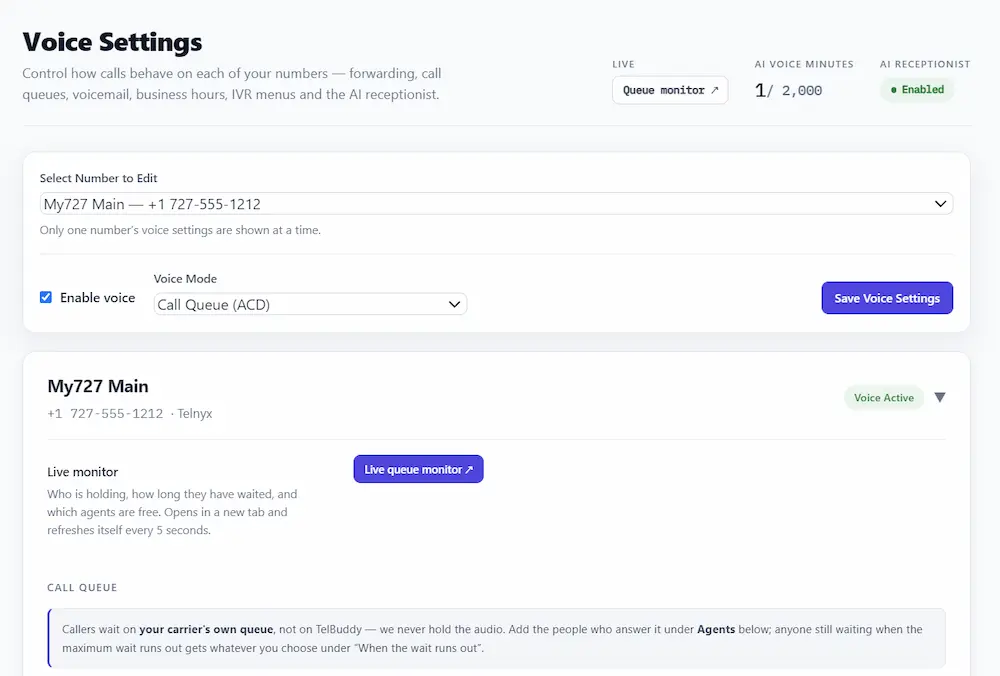
You then have four things to set.
Queue name. For your own reference, but give it a real one. "Support" and "Sales" are useful in a dropdown. Two queues both called "Call Queue" are not.
Greeting. Spoken once, before the caller enters the queue. Leave it blank to send them straight to hold music.
Hold music. Callers hear this on a loop. There are four ready made tracks, or paste the URL of your own MP3 or WAV. Your own file is better: it is your brand, and it is served from somewhere you control.
Maximum wait. How long somebody may hold before the fallback takes over. This is the number people set too high. Five minutes of hold music is a long time when you are the one holding.
Adding the people who answer
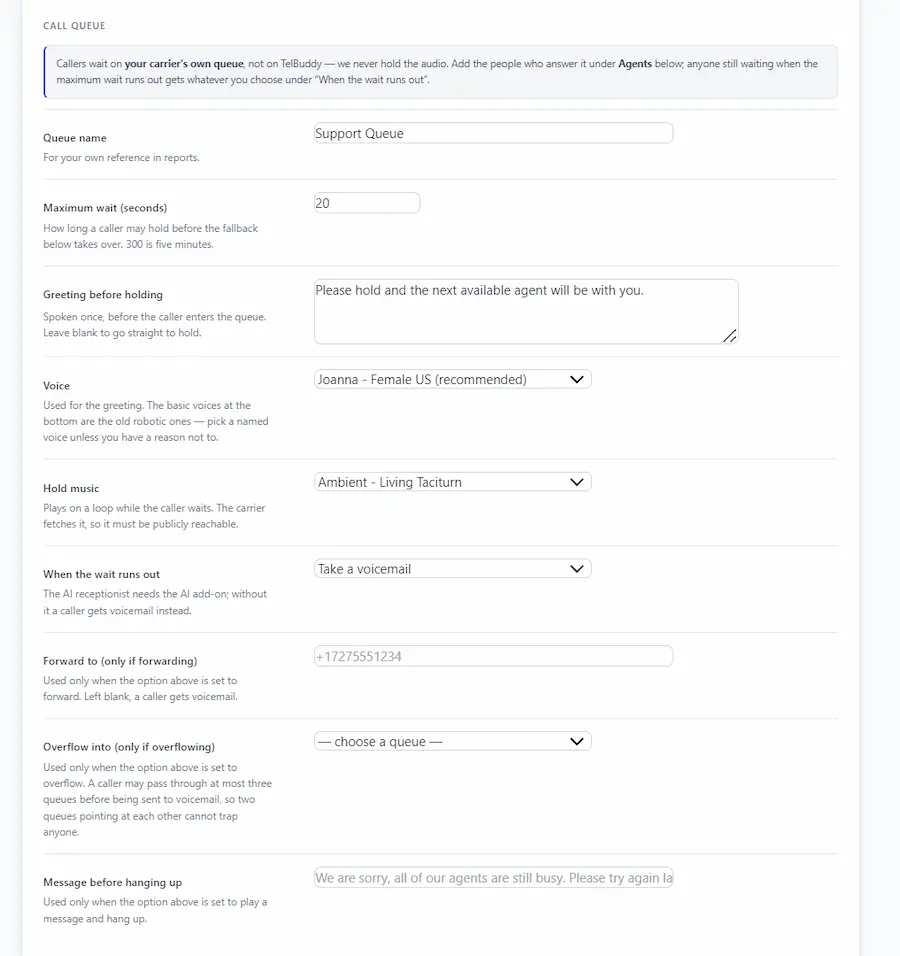
Under Agents, add a team member and the phone number to ring. Any phone works. A mobile is fine, and there is nothing to install.
Agents come from your team list, so add anybody who needs one first. See Roles: Admin and Agent for what each role can reach, and Inviting Your Team for how new people get access.
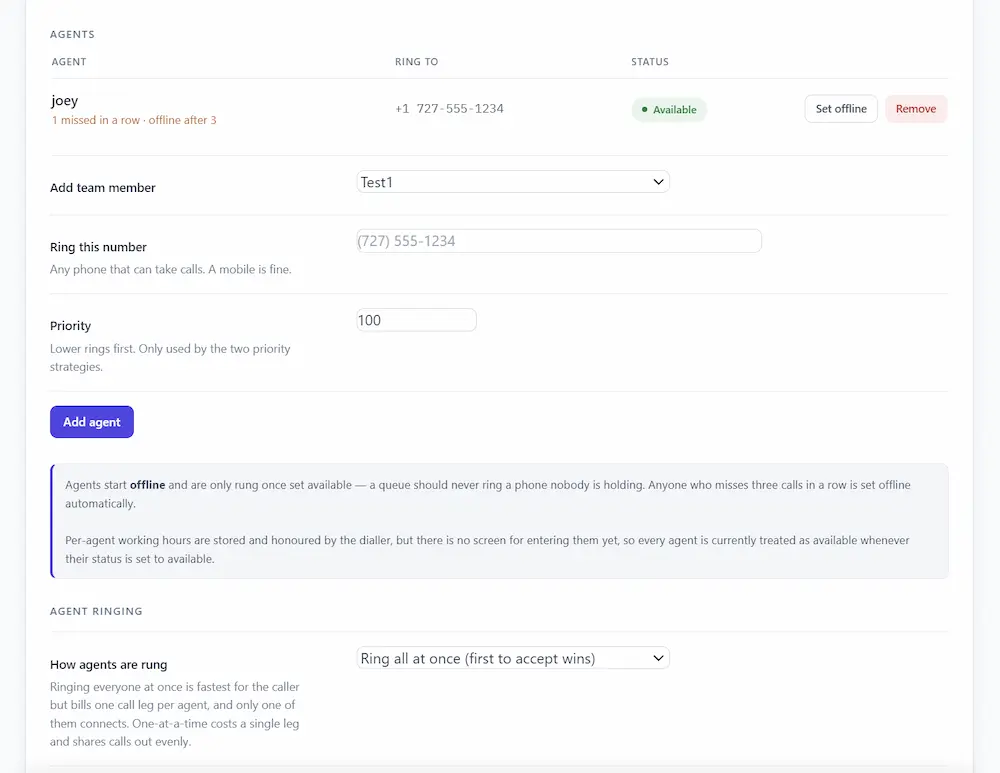
Every agent starts offline and is only rung once set available. That is deliberate. A queue that rings a phone nobody is holding is worse than no queue at all, because the caller waits through a full ring before anything else happens.
One call at a time, and a cool-off
An agent is only ever offered one call. While they are talking, the queue skips them. When the call ends they get a cool-off period, thirty seconds by default, before they can be rung again.
That cool-off is not padding. It is the difference between a job somebody can do all day and a phone that rings the instant they hang up.
Together, these two rules are what let ordinary mobile numbers work as queue agents. There is no softphone and no SIP client to install.
Press 1 to accept
When the queue rings an agent, they hear who is calling and press 1 to take the call. Only then are they connected.
This exists because a mobile voicemail box answers faster than a person does. Without the keypress, a caller who waited four minutes gets handed to somebody's voicemail greeting, and the queue believes the call was answered. A voicemail box cannot press 1, so it cannot steal the call.
Keep ring each agent for under about twenty seconds for the same reason.
Missed calls take an agent offline
Anyone who misses three calls in a row is set offline automatically, and the team list says so.
This is the single most useful rule in the system. Without it, one person who left their phone in a drawer silently absorbs a share of every caller, and the only symptom is that your queue feels slow.
How agents are rung
Four strategies. The right one depends on whether you care more about speed or about your carrier bill.
Round robin rings one agent at a time, longest idle first. Work is shared evenly and each call costs one leg.
Priority also rings one at a time, in the order you set. Your senior people get first refusal and everyone else is overflow.
Ring all at once rings every available agent simultaneously and the first to press 1 wins. Fastest for the caller. It also places one billable call leg per agent, and only one connects.
Ring the top tier at once blasts your best people together, then falls back to the next tier if nobody takes it.
Ringing everyone is the natural first choice and the one worth thinking twice about. On a four person team that is four legs per call, on every call, including the abandoned ones. Carrier usage is billed to you directly by Twilio or Telnyx, as explained in How TelBuddy Works, so this appears on their invoice rather than ours.
When the wait runs out
If nobody takes the call before your maximum wait, the caller goes wherever you choose:
- The AI receptionist, which can take a message, answer questions from your knowledge base, or book an appointment
- Voicemail
- Another queue, so Support can overflow into Sales
- Forward to any number, the same behaviour as call forwarding
- A message, then hang up
The AI receptionist is the strongest option if you have the add-on, because the caller still gets a conversation rather than a beep.
Queue to queue overflow is capped at three queues per caller, so two queues pointing at each other cannot trap somebody in a loop.
Sending callers into a queue from somewhere else
A queue is not only a mode for a whole number. It is a destination other things can point at, and this is where it stops being a feature and starts being a phone system.
From a phone menu. In the call flow builder, set any option to Call Queue and pick the queue. "Press 2 for support" drops the caller straight into the support queue, with no transfer to another number and no second call leg. This works from any level of a multi-level menu.
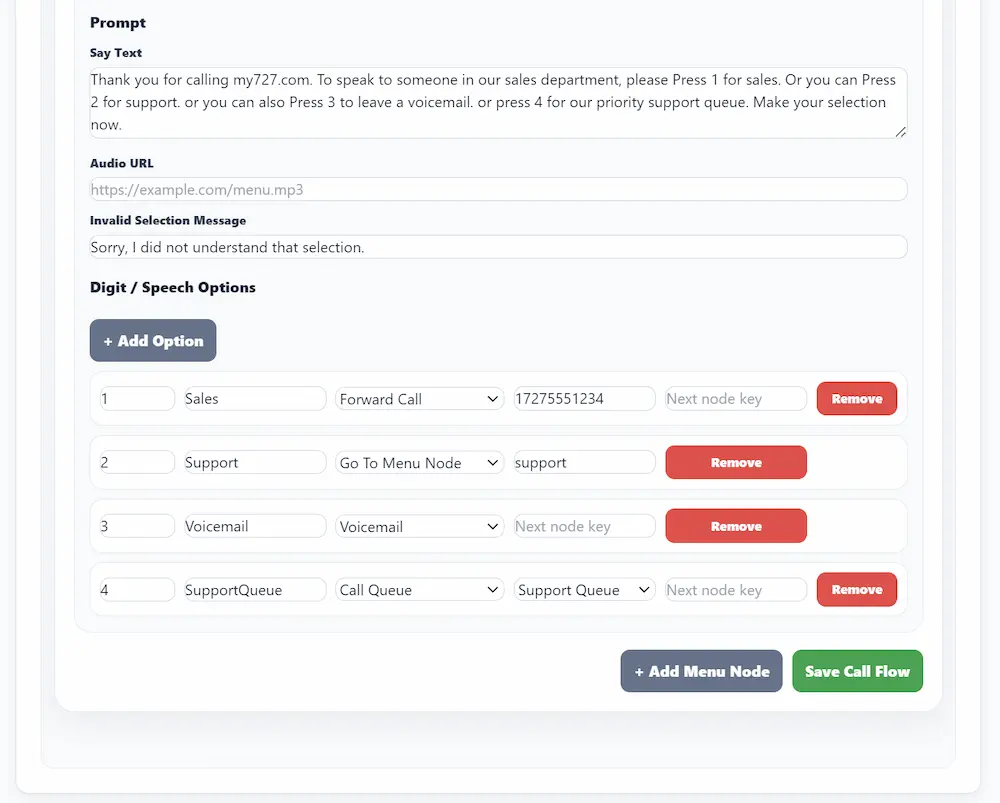
From the AI receptionist. A transfer rule can name a queue, so a caller who tells the AI they need a person is put in line rather than dialled out to a desk phone. See AI Transfer Destinations.
From another queue, as overflow.
A queue belongs to your account, not to one phone number. Any number's menu can point at any of your queues, so one support queue can sit behind five different product lines. If you run sub-accounts, each one has its own queues.
Business hours and queues
A queue respects the business hours set on that number. Outside them, the after-hours handling takes over before the queue is ever reached, so you are not queueing callers for a team that has gone home.
The live monitor
The Queue monitor button opens a wallboard that refreshes every five seconds:
- how many callers are waiting, and how long the longest has been holding
- who is available, ringing, on a call, or cooling off
- how many calls were answered today, and how many were lost
- a progress bar per caller against your maximum wait, so you can see who is about to time out before it happens
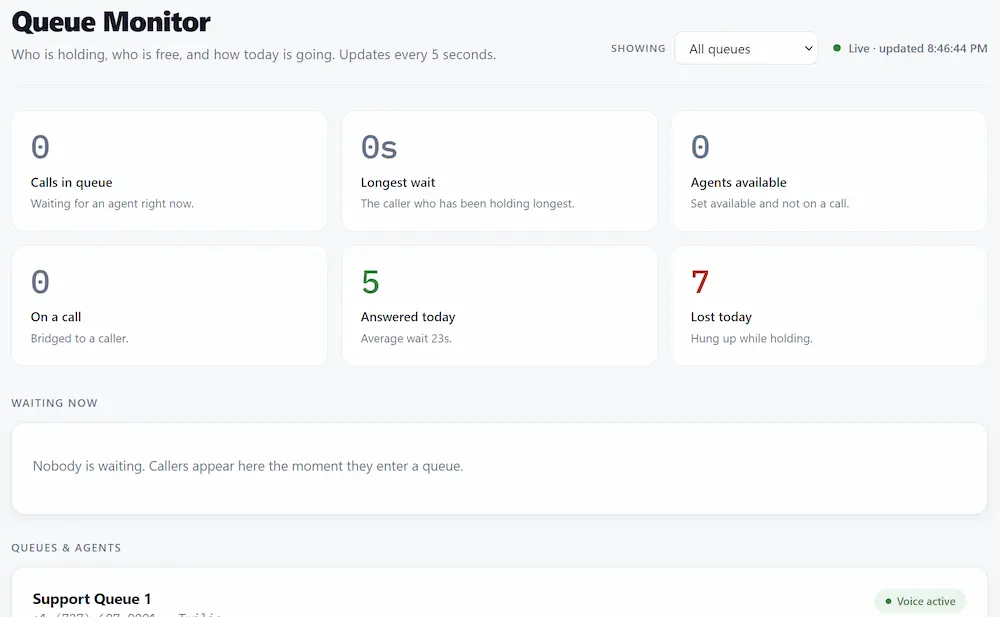
You can set an agent available or offline straight from the board. Leave it open on a second screen and you can watch a queue backing up while there is still time to do something about it.
With several queues the board shows all of them at once, and the Showing dropdown switches to any single one.
Things worth knowing before you launch
Ringing everyone costs one leg per agent. On an abandoned call you billed four legs and connected nobody.
Agents must set themselves available. Being logged into TelBuddy is not the same as being ready to take calls, and a browser tab left open overnight is not a person.
Voicemail on an agent's mobile is the enemy of a queue. Keep the ring time short and leave press-to-accept on.
Set a realistic maximum wait. Two minutes with a good fallback beats ten minutes of hold music.
Related
- Call Forwarding, for when a queue is more than you need
- Building Your First Phone Menu, to route callers into the right queue
- AI Transfer Destinations, so the AI can hand callers to a queue
- Voicemail, the most common queue fallback
- Choosing the Right Plan