Home / Docs / Team & Accounts / Inviting Your Team
Inviting Your Team
Adding somebody to TelBuddy sends them an invite. They choose their own password from a link, and you never see it.
Adding a team member
In System Manager, under Team, enter their name, email, and role, then send the invite. There is no password box.
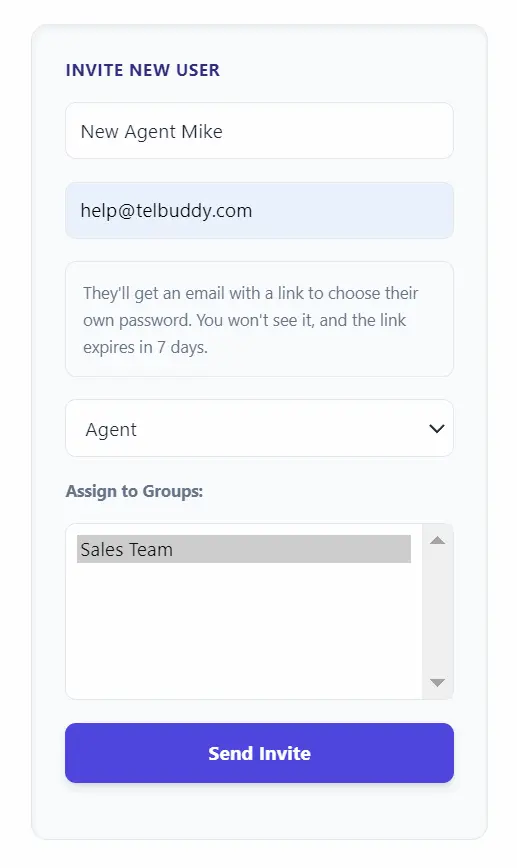
They get an email with a link that works once and expires in seven days. Until they use it their account exists but cannot sign in.
Why you do not set their password
It used to work the other way, and it had three problems.
Two people knew every password, and nothing ever forced a change. Anyone given an account had a credential the person who created it also knew, indefinitely.
The browser offered to save it. Creating an account for a colleague meant your own password manager prompting to store their credentials.
There is no safe way to send a password. Email leaves it in an inbox forever. Text is worse.
An invite link has none of that. It works once, it expires, and the password exists only in their head.
While an invite is outstanding
The team list shows their status.
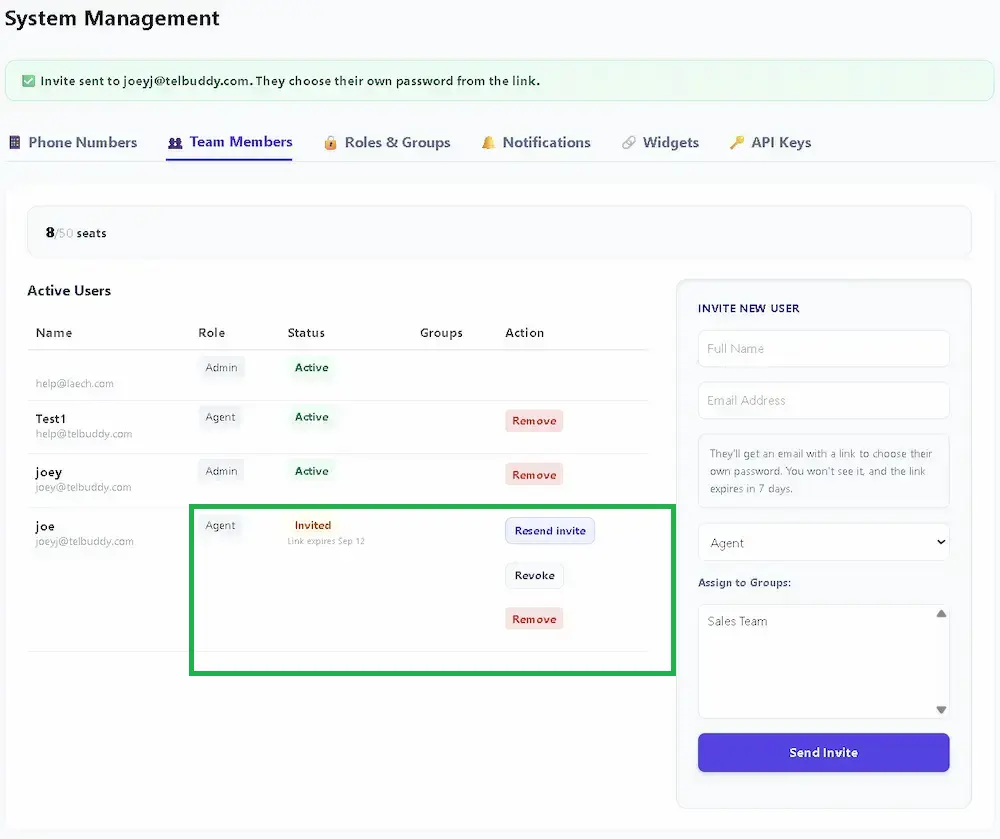
- Invited, with the expiry date, while the link is still good
- Invite expired once it has lapsed, which means they cannot sign in
- Active once they have set a password
Resend invite sends a fresh link and immediately invalidates the previous one, so an old email forwarded to the wrong person stops working. Revoke cancels an outstanding invite without removing the account.
If somebody forgets their password
They use Forgot your password? on the sign-in page and get a link that works once and expires in an hour.
Nobody, including you, can read or set another person's password. If they cannot reach their email at all, remove the account and invite them again on an address they can.
Password rules
At least ten characters, and it cannot contain their email name, your company name, or an obvious word like "password".
There is deliberately no rule forcing a symbol and a digit. Those reliably produce one predictable word with punctuation stuck on the end. A few unrelated words is both stronger and easier to remember.
Related
- Roles: Admin and Agent, what each role can reach
- Sub-Accounts, for separate teams under one plan
- Call Queues, where team members answer calls
- Choosing the Right Plan, seat limits