Shared team inbox for
Twilio and Telnyx
Stop passing one phone around the office. A shared team inbox puts every SMS and MMS on your Twilio or Telnyx numbers into one place, with separate logins, admin and agent roles, templates, and AI-drafted replies your team can edit before send. The conversation stays with the business when someone is off or leaves.
Enterprise Role Management.
Security is paramount for B2B teams. TelBuddy allows you to protect your Twilio or Telnyx root credentials while giving your staff the access they need to excel.
Admin vs. Agent Roles
Admins manage billing and API keys; Agents focus purely on high-velocity customer communication.
Real-Time Sync V2
Messages sync instantly across all logged-in devices. No refreshing required.
The Team Advantage
- ✓ Shared Reply Templates: Create a global library of lightning-fast responses for the whole team.
- ✓ MMS Attachment Previews: View photos and documents collectively in the thread.
- ✓ Multi-Tenant Isolation: Agencies can assign specific agents to specific client buckets.
See It In TelBuddy
The real shared inbox, not a mockup.
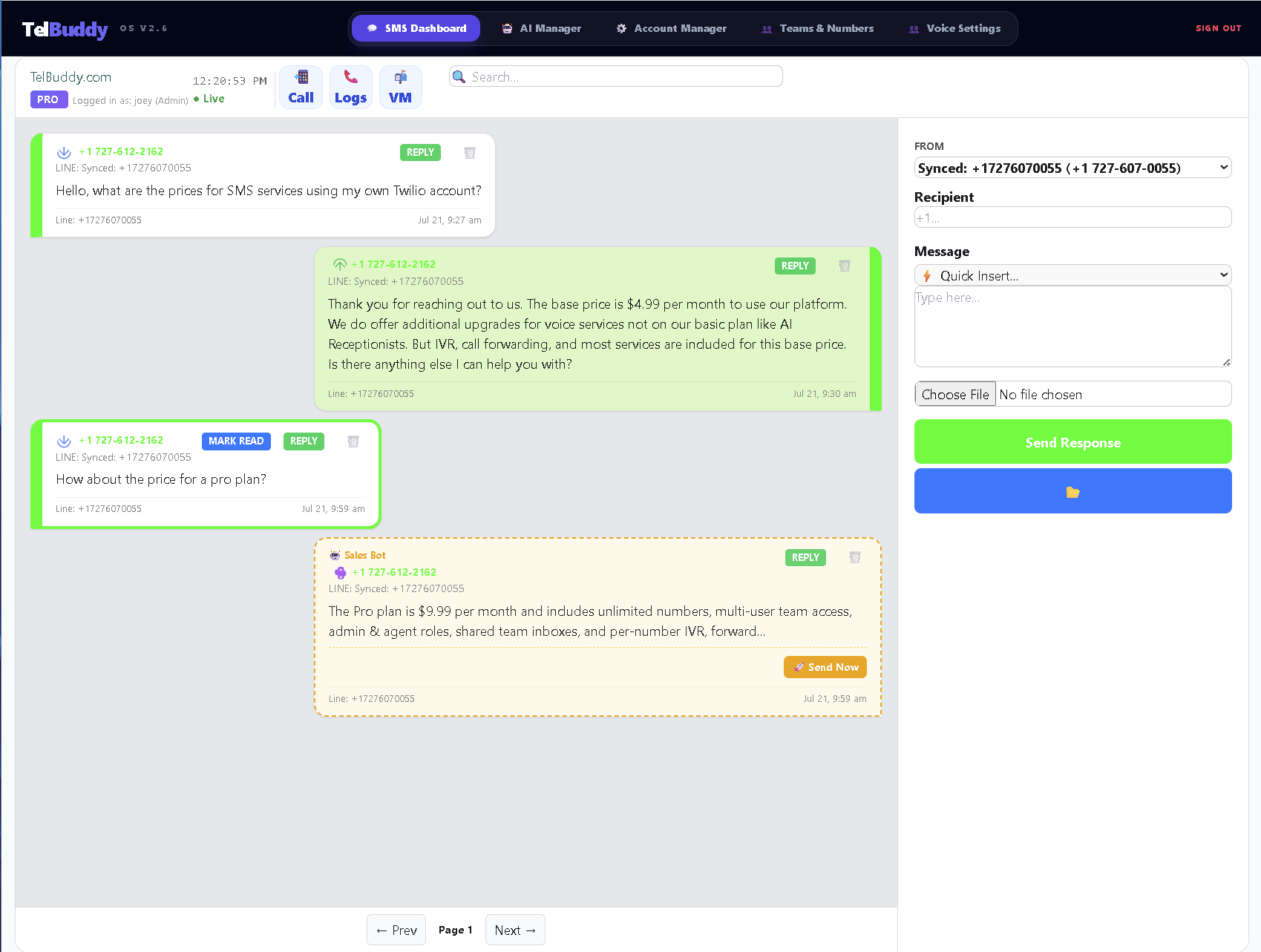
A business number on one person's phone is a single point of failure.
It works right up until that person is off, busy, or leaves. Then the history goes with them.
One phone, one login
✕ Messages land on one phone
✕ Everyone shares one login
✕ No idea who replied, or whether anyone did
✕ History leaves when the person does
A shared inbox
✓ Every message in one place
✓ Separate logins, separate roles
✓ Visible who said what and when
✓ The conversation stays with the business
Not everyone should be able to touch billing.
The reason shared logins persist is that most tools make separating access harder than not bothering. This is two dropdowns.
| Admin | Agent | |
|---|---|---|
| Read and reply to conversations | ✓ | ✓ |
| See assigned numbers | ✓ | ✓ |
| Add or remove team members | ✓ | ✕ |
| Manage numbers and settings | ✓ | ✕ |
| Reach carrier credentials | ✓ | ✕ |
What it actually changes.
Small things, repeated constantly, which is where the time goes.
Handoffs
Someone else picks up a thread mid-conversation without asking what happened.
Coverage
A person going on holiday stops being an event.
Context
The last five exchanges are right there before anyone replies.
A few honest answers.
Can two people reply at once?
They can both see the thread live, which is usually enough to avoid collisions. The bigger win is that nobody has to ask what was already said.
What is the difference between Admin and Agent?
An Admin manages numbers, team members and settings. An Agent works conversations without reaching billing or your carrier credentials, which is the entire reason not to share one login.
Can I limit who sees which numbers?
Yes, through groups. A support agent does not need to see the sales line, and separating them keeps the inbox usable.
Does it work with both carriers?
Yes, and you can mix them. Provider is set per number, so some numbers can be on Twilio and others on Telnyx in the same inbox.
Get Your Team on One Page.
View Plans & PricingWorks well with the shared inbox
- The web app
Where the shared inbox lives, in any browser and on your phone.
- Photos and MMS
Customers sending pictures land in the same thread as their texts.
- A2P 10DLC sync
Get your numbers registered and webhooks pointed at the inbox.
- Seats and pricing
The inbox is shared per seat. See what each plan includes.