Website chat with live teammates, AI answers, or a lead form
Put a chat button on your site that runs with the Twilio or Telnyx account you already have. Visitors talk to a live teammate, get AI answers from your knowledge base, or leave their details. One script. You decide who answers.
Live chat and the contact form work on every plan. AI answers use the optional AI add-on. TelBuddy is a flat software fee and does not mark up minutes.
Starter plan $19/mo. Card required. Nothing charged for 7 days. Cancel anytime.
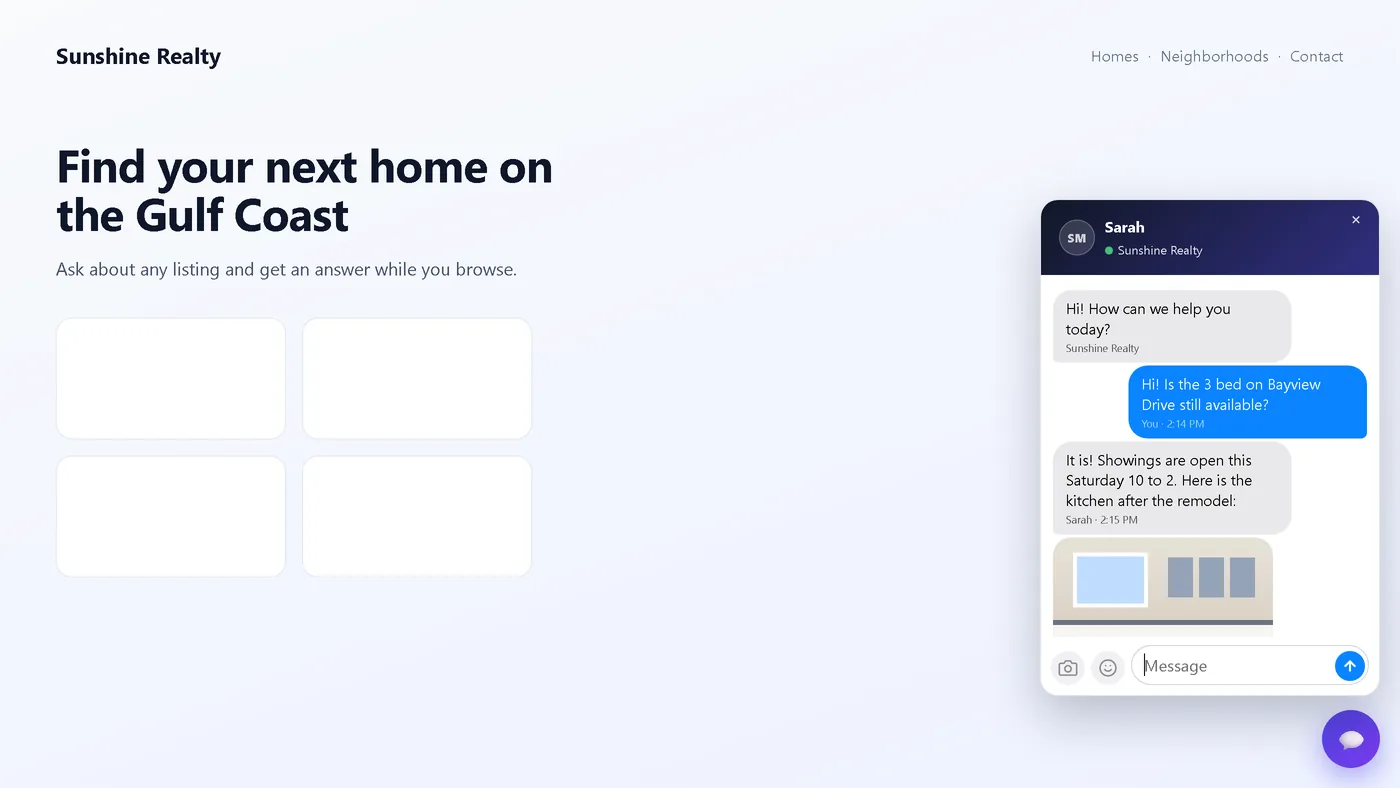
Every visitor gets an answer.
A person when someone is free, the AI when nobody is, and a short form when you would rather call them back. You set the order once.
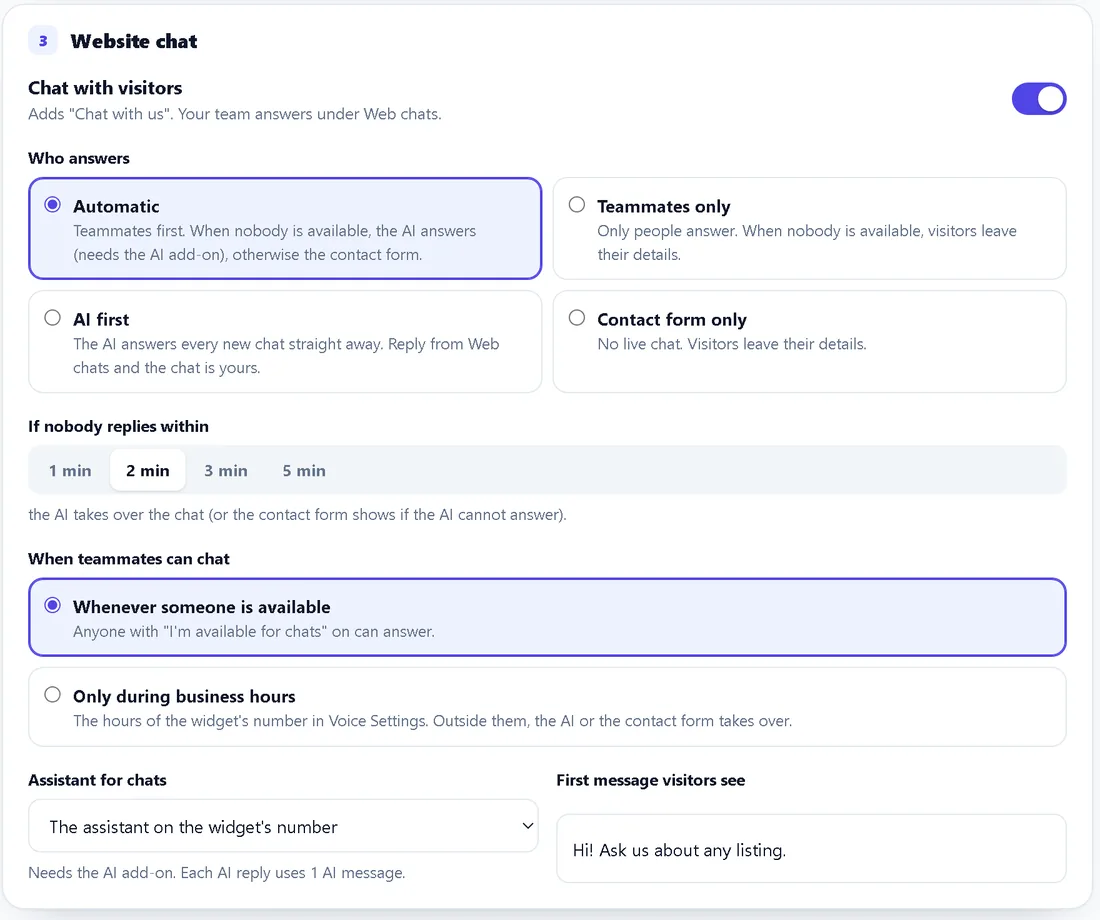
Pick who answers, and how long a visitor waits
Automatic puts your team first and the AI second. Teammates only never uses AI. AI first answers every chat instantly and hands it to whoever replies. Contact form only skips live chat altogether.
If nobody replies within 1, 2, 3 or 5 minutes, the AI takes over the same chat, or the visitor is asked for their details. You can also limit live chat to the business hours you already set for your number.
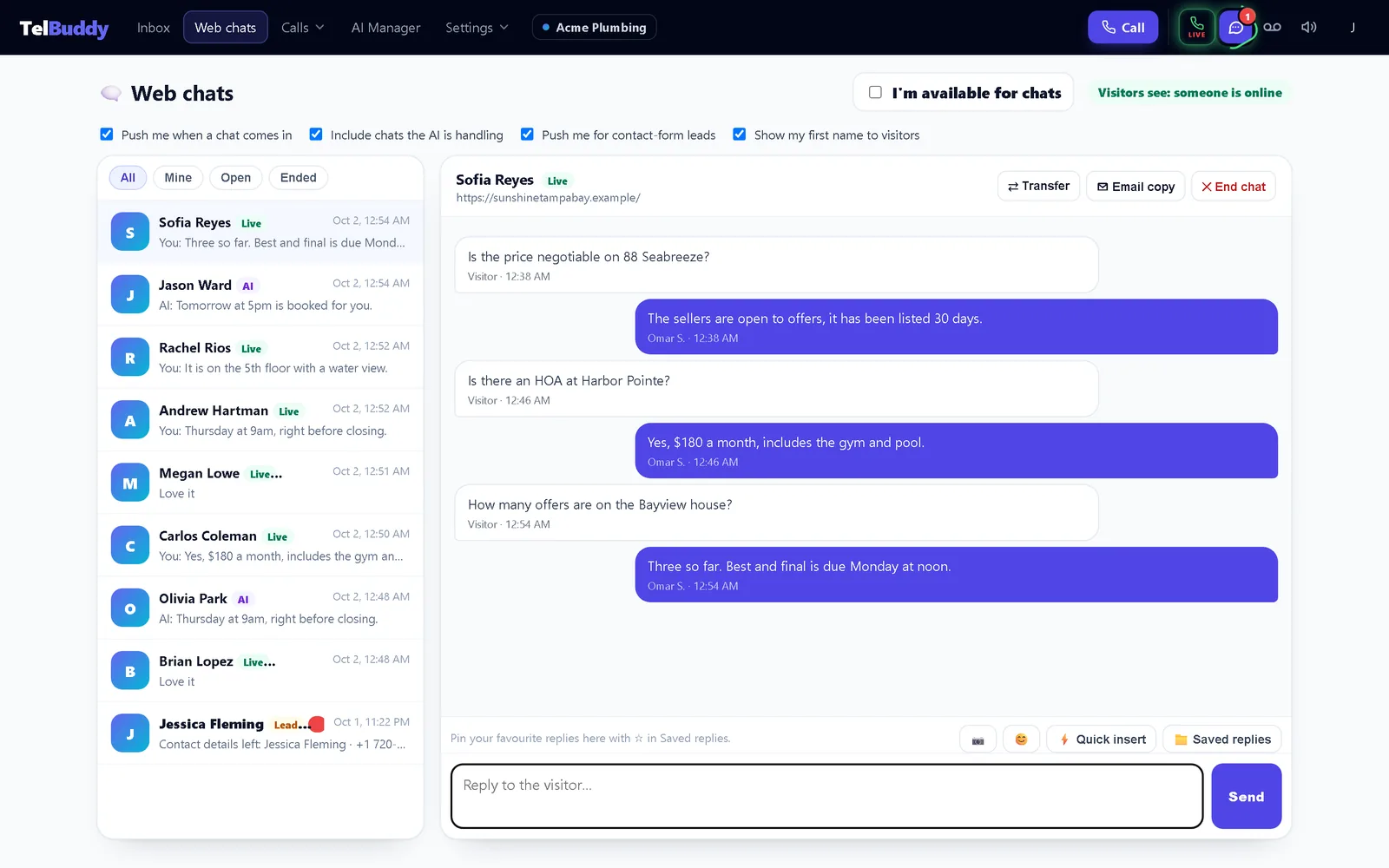
One screen for every website chat
Web chats lists every conversation with who has it, how long each visitor has waited, and when the AI will step in. Filter by All, Mine, Open or Ended.
Reply, send a photo, insert a saved reply, transfer the chat to a teammate, email the visitor a copy, or end it. The header icon spins and plays a sound when a visitor is waiting.
Everything a chat tool should do
Without another vendor login, another inbox, or another monthly bill per seat.
Photos both ways
"Here is the leak." Visitors and your team send JPG, PNG, GIF or WebP photos up to 8 MB, shown right in the chat. Photos only; no PDFs or other files.
Saved replies and shortcuts
The same saved replies as your texting inbox. Type /hours to drop one in, pin your favourites, and let {name} fill in the visitor's first name.
Typing on both sides
Visitors see dots while you write. Your team sees when the visitor is typing, and which teammate is already replying, so two people never answer at once.
Push you control
Each person chooses: new live chats, chats the AI is handling, and contact-form leads, each on its own switch. A sound and a reminder every minute while a visitor waits.
Your colors, your logo
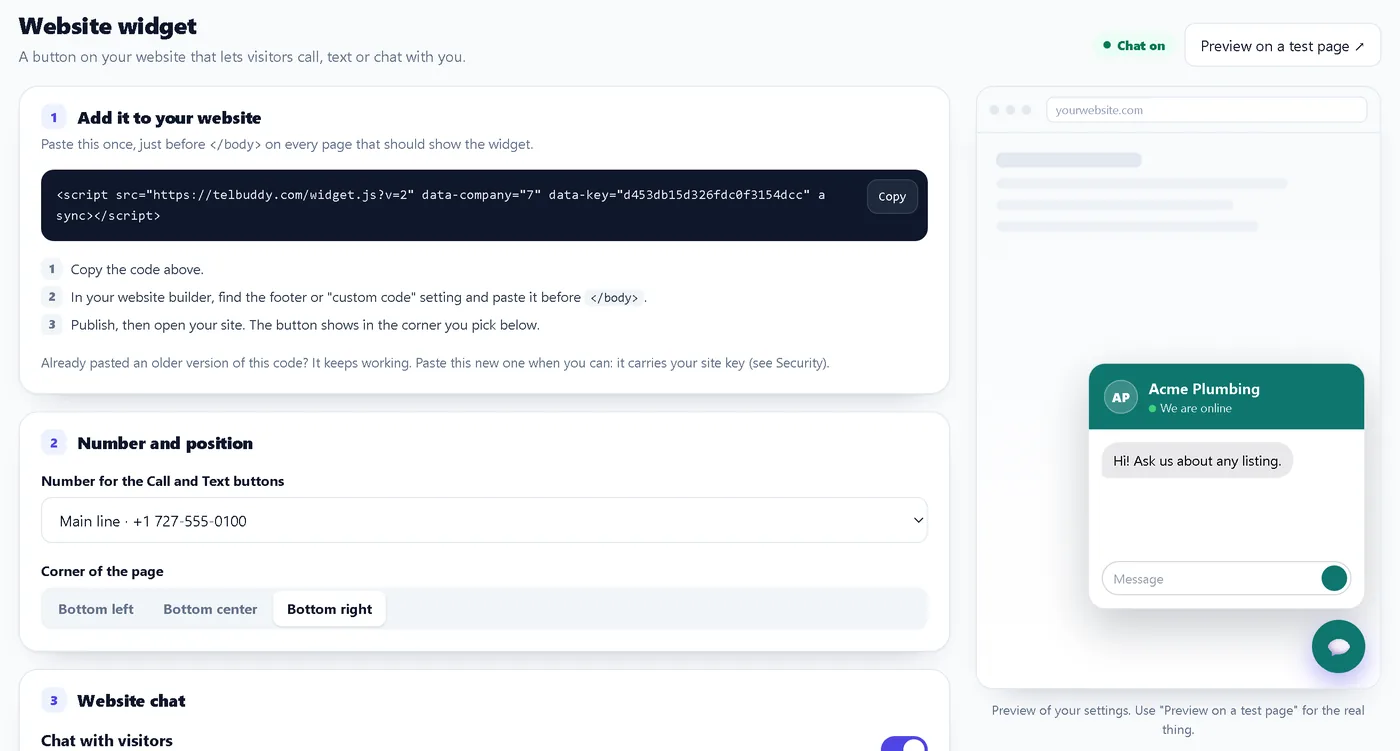
Pick a color, a title and a logo, and whether the bubble opens a Call / Text / Chat menu or goes straight into the chat. A live preview shows each change.
Only on your websites
List your sites and switch on Only these websites. Nobody else can load your chat or use your AI messages. A new site key retires old copies of the code.
The assistant already knows your business
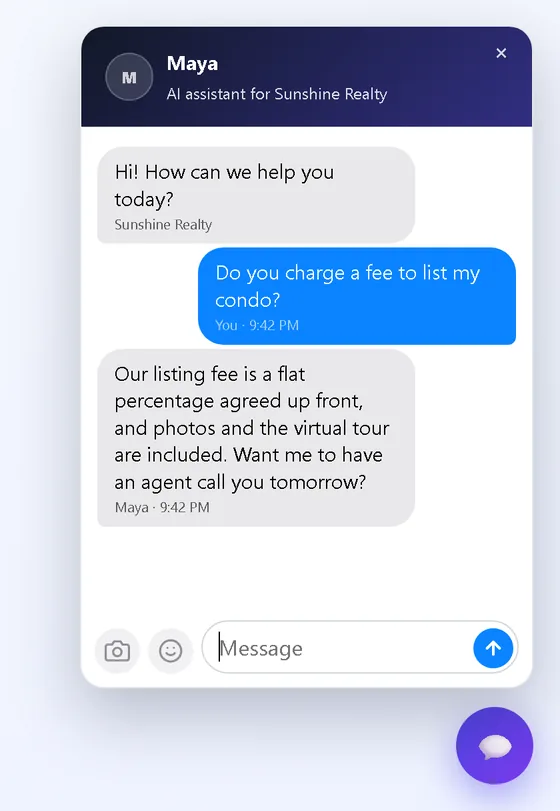
Chat uses the same TelBuddy assistants as your phone and texting AI, with the same instructions and the same knowledge base. Pick which assistant answers chats.
Each AI reply uses one message from the same optional AI message allowance as your other AI features. Live chat between people is not metered.
Keep the knowledge base tight and current. When it has nothing close, the assistant should say so rather than guess at prices or policies.
One script tag. About two minutes.
No Twilio Console or Telnyx portal needed for the widget. You still connect your carrier in TelBuddy for numbers, texting and calls the usual way.
1. Open Widgets
System Manager, then Widgets.
2. Switch chat on
Choose who answers and the look.
3. Copy the code
Paste it before </body> on your site.
4. Preview
Open "Preview on a test page" and try it.
Chat, Call Us, Text Us: one widget
Website Chat is a button inside the TelBuddy widget, next to Call Us and Text Us. They do different jobs, and you can run them together or make the bubble open straight into the chat.
Chat with us
A conversation on the page with your team or the AI, or the contact form. Answered on Web chats.
Call Us
One tap opens the visitor's phone to call your synced number.
Text Us
Opens their texting app to your number. The reply lands in your shared inbox. The story: I put a Text Us button on my website.
No second messaging stack.
Website Chat fits the same TelBuddy model as everything else. Connect once, sync your numbers, add the widget. No Flex project, no carrier SDK, no second inbox to host.
✓You keep your own Twilio or Telnyx account
✓TelBuddy is the dashboard and widget layer
✓A flat software fee, no minute markup
✓Carrier usage stays on your carrier's bill
A few honest answers.
What is TelBuddy Website Chat?
A chat button on your website. Visitors talk to a live teammate, get AI answers from your knowledge base, or leave their details in a contact form. It sits in the same TelBuddy widget as Call Us and Text Us.
Do I need Twilio Flex or a developer?
No. Twilio Flex Webchat and the carriers' own chat widgets are developer tools: you build the agent screens, routing and hosting yourself. Website Chat comes ready made, with the widget, a team screen, AI answers and push, on the account you already have. You paste one script tag.
Does it work with both Twilio and Telnyx?
Yes. Connect Twilio, Telnyx, or both. Chat itself does not use carrier minutes or texts, and your numbers and carrier billing stay with your carrier. See connect Twilio or connect Telnyx.
Do I need the AI add-on?
No. Live chat and the contact form work without it. Only AI answers need the optional AI add-on, and each AI reply uses one message from the same allowance as your other TelBuddy AI. Plan details are on pricing.
Can visitors send photos or files?
Photos, yes, up to 8 MB, and your team can send photos back. PDFs and other files are not supported in chat. You can still upload PDFs to the AI knowledge base for training.
What happens when nobody answers?
After the wait you choose (1 to 5 minutes), the AI takes over the same chat if you allow it, or the visitor is asked for their details. Details: when nobody answers.
Can my team answer from their phones?
Yes. Web chats works in the TelBuddy web app on any phone, and push notifications reach the Home Screen app. Each person picks which chats notify them.
Can I end, transfer or keep a copy of a chat?
Yes. End a chat (the visitor is told, and it reopens if they write again), pass it to a teammate, or email the visitor a copy. A copy only ever goes to an email address the visitor gave you.
Does it include video, co-browsing or social messaging?
No. No video, no co-browsing, and no Facebook, Instagram or WhatsApp. It is website chat, done well.
Ready to put chat on your site?
Connect the Twilio or Telnyx account you already have, switch chat on, paste one script, and choose who answers.
Read the launch story: website chat on the Twilio or Telnyx account you already have.
Related: Shared team inbox · Web app · AI knowledge · All features