Call Us, Text Us and Live Chat in One Widget on Your Own Number
If you already run Twilio or Telnyx for numbers, texting and calls, the last thing you need is another vendor that wants you to port numbers, rent their seats, and treat your carrier account like something you left behind. You need website chat that sits on top of the account you already trust.
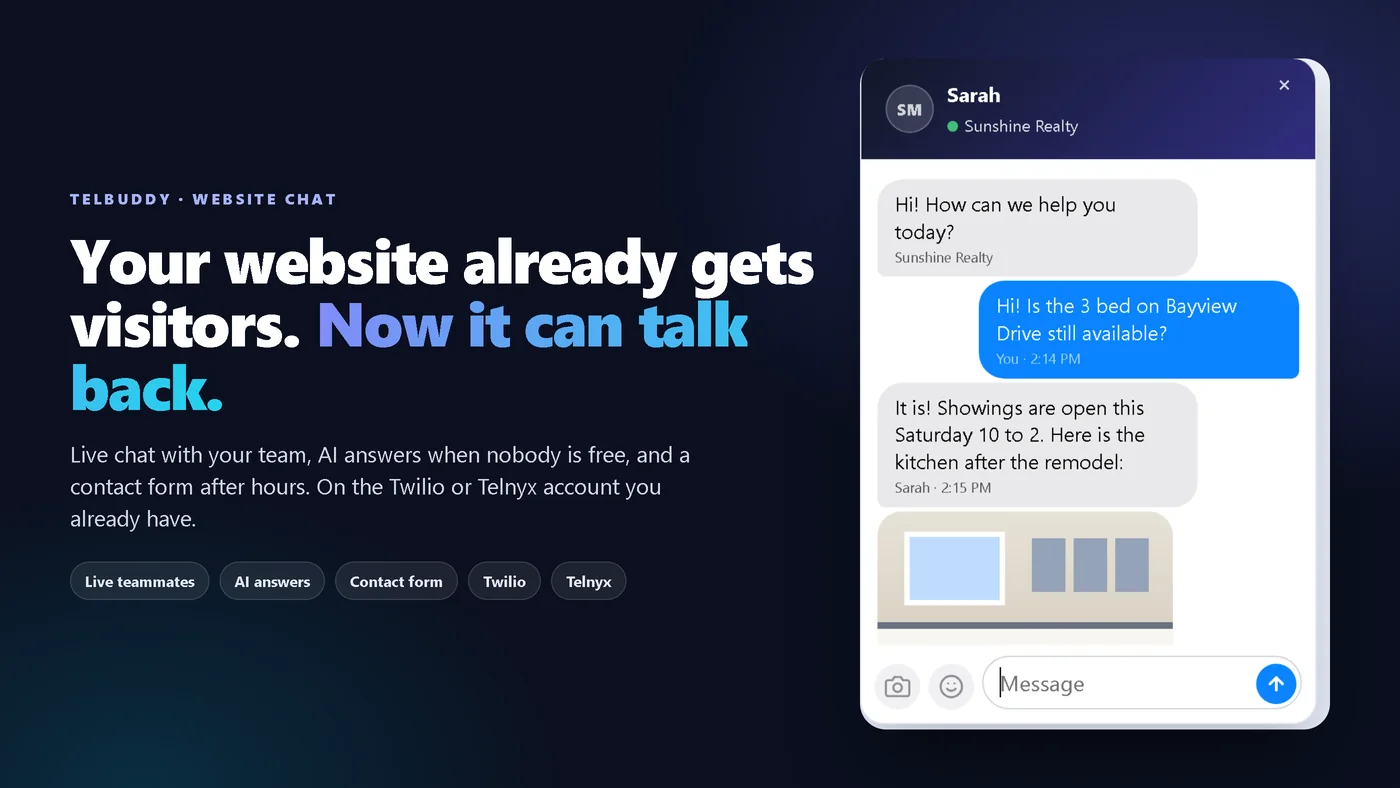
TelBuddy Website Chat is a chat button on your website. Visitors talk to a live teammate, get AI answers from your knowledge base, or leave their details in a contact form. Your team answers from the TelBuddy web app on a computer or phone. Live chat and the contact form work on every plan; AI answers use the optional AI add-on. TelBuddy is a flat software fee and does not mark up minutes.
This post is the bring-your-own-carrier story and the how-it-fits guide. The product tour lives at Website Chat, and the step-by-step docs at /docs/website-chat.
Why "own carrier" chat matters
Most website chat tools assume they own the relationship. Fine if you want an all-in-one. Awkward if you have already invested in Twilio or Telnyx numbers, texting registration, and a shared inbox your team actually uses.
- You keep your Twilio or Telnyx account and numbers.
- TelBuddy connects as software on top, the same model as the shared inbox and the phone tools.
- You do not stand up a second chat company beside the carrier account you already pay.
- Billing stays clear: a flat software fee to TelBuddy, and carrier usage on your Twilio or Telnyx bill at their rates. Chat itself uses no carrier minutes or texts.
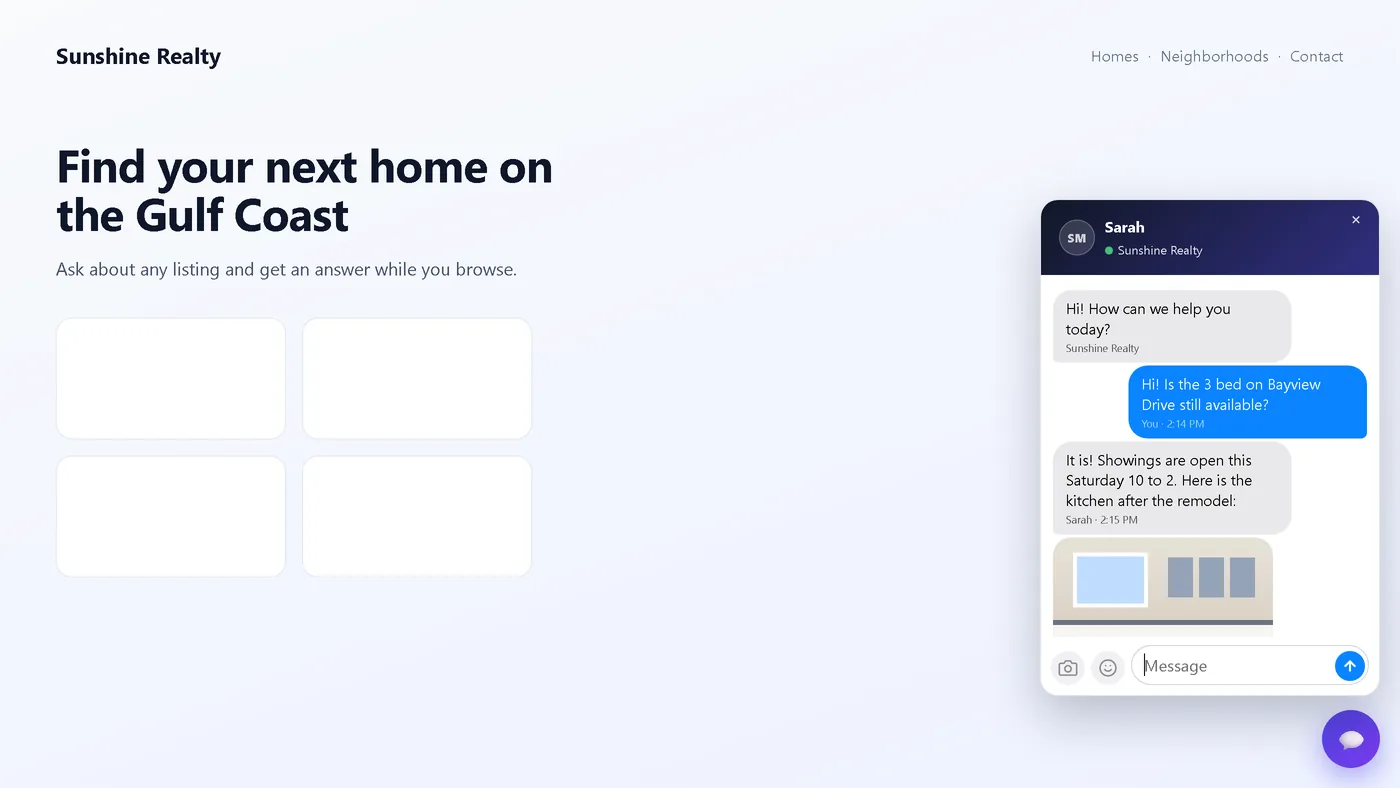
Website Chat takes that model to the website itself. Same workspace, same team, same saved replies. A conversation on the page instead of "please email us from the footer".
What you install
No chat backend to build in the Twilio Console or the Telnyx portal. In TelBuddy, open System Manager, then Widgets, switch chat on, copy one line of code, and paste it before </body> on your site.
- Connect your carrier.
Connect Twilio or Telnyx and sync a number if you have not already (Twilio, Telnyx).
- Switch chat on.
Choose who answers, the look, and what the contact form asks for. A live preview shows each change.
- Paste the code.
One script tag, the same one that shows Call Us and Text Us.
- Preview.
"Preview on a test page" loads your real widget so you can send yourself a chat.
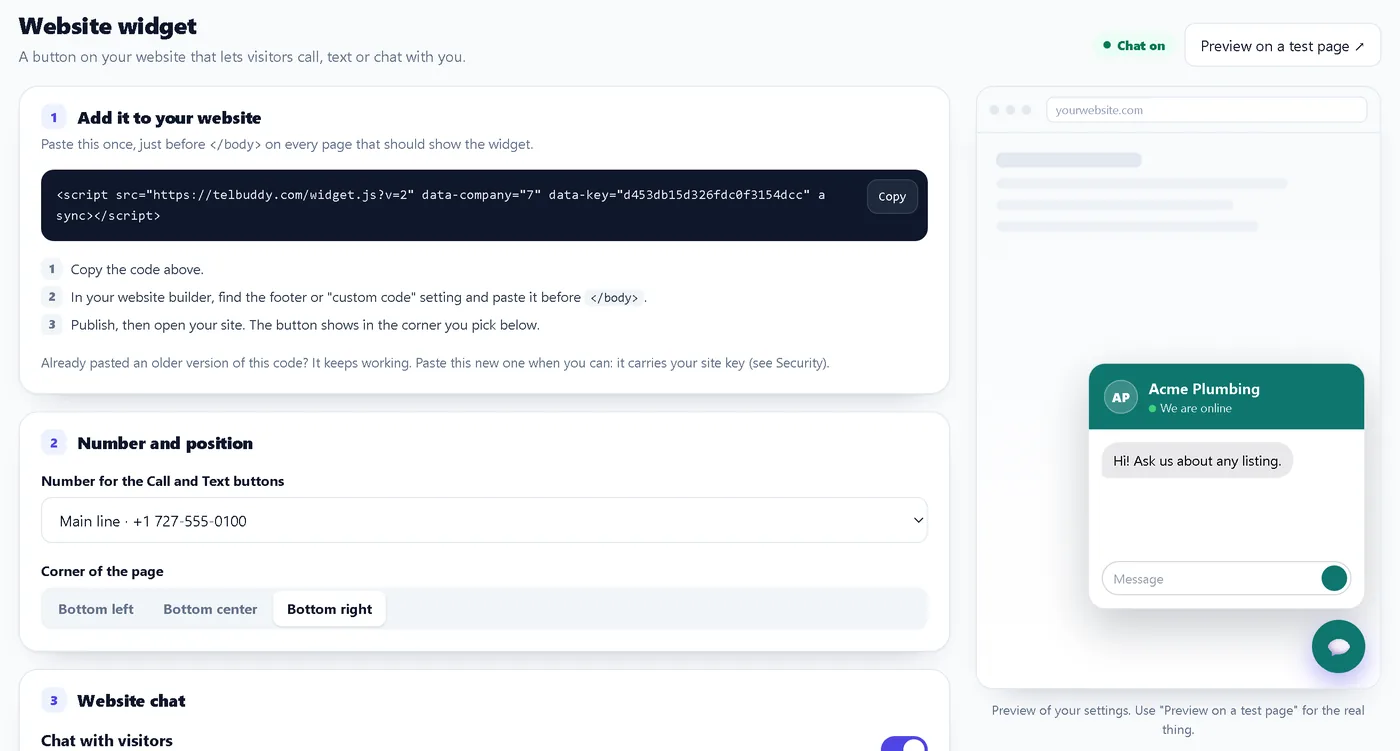
Full steps, website builder notes and troubleshooting: Install the Website Chat widget.
Who answers, in your order
Every chat is answered by a teammate, the AI, or the contact form. One setting, Who answers, sets the order:
Automatic
A teammate if someone is available, otherwise the AI, otherwise the contact form.
Teammates only
People only. When nobody is available, visitors leave their details.
AI first
The AI answers every new chat straight away. Reply and the chat is yours.
Contact form only
No conversation, just a short form that lands on Web chats as a lead.
Live teammate chat. Anyone with "I'm available for chats" on answers from the Web chats page. Visitors see your first name, and typing dots on both sides show a reply is coming.
AI from the knowledge base. The assistant you pick replies with its own instructions and the knowledge you trained: URLs, PDFs and short snippets. See AI Knowledge. Each AI reply uses one message from the same optional AI allowance as your other TelBuddy AI; see pricing.
Contact form. Name, plus a phone number, an email or both (your choice), and a note. The lead shows on Web chats as a waiting lead (not in the texting inbox), is emailed to your alert list, and can push to your phone.
More: Who answers: live, AI or contact form.
AI knowledge, with honest edges
AI chat is only as good as what you trained. Point it at pricing, hours, service area, FAQs and what you do not do. Skip dumping your whole blog archive in on day one. When nothing matches, a good assistant says so instead of inventing a price.
Two things people mix up:
- Knowledge base PDFs you upload to train the AI.
- Visitor photos in the chat, up to 8 MB. Visitors cannot send PDFs or other files in chat.
When the human is late
Live chat without a safety net means a visitor staring at a quiet bubble. You choose a wait of 1, 2, 3 or 5 minutes. If nobody replies in time, the AI takes over the same chat, or the visitor is asked for their details. Your team sees a Waiting timer on each chat, which turns into "AI answers in 0:18" near the end. Details: When nobody answers.
The team side
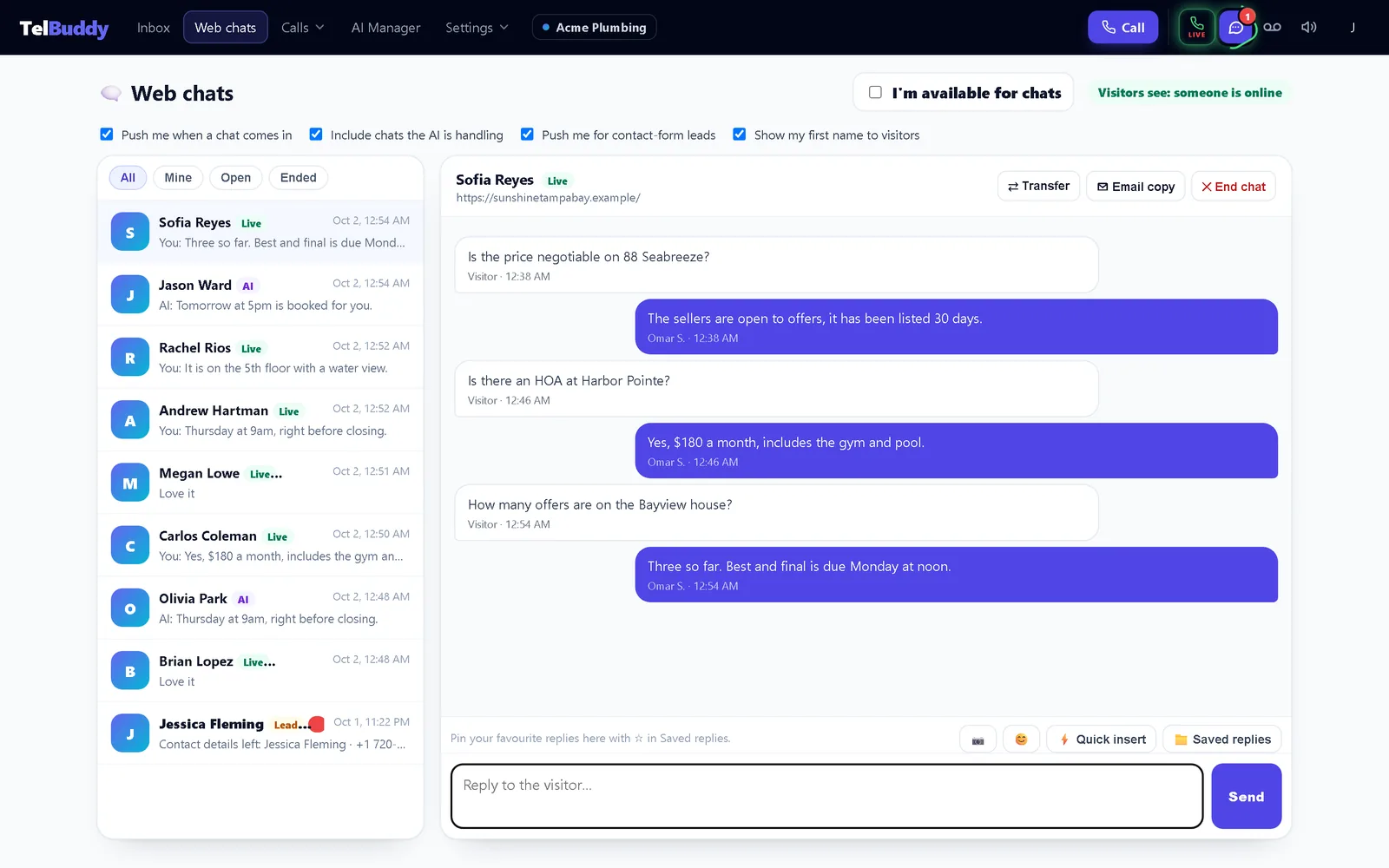
- Photos both ways, up to 8 MB. Photos and saved replies.
- Saved replies shared with the texting inbox. Type /hours to drop one in. Message templates.
- Typing indicators for visitors and teammates, including which teammate is already replying.
- Push you control: live chats, AI chats and leads, each on its own switch. Typing and notifications, Mobile app.
- End, transfer, email a copy. Finish a chat, pass it to a teammate, or email the visitor the conversation (only to an address they gave you). Team tools.
None of it needs a softphone. Chat is chat.
Your look, only on your sites
Pick a color, a title and a logo, and whether the bubble opens the Call / Text / Chat menu or goes straight into the chat. Then list your websites and switch on Only these websites, so nobody else can load your chat or use your AI messages. Security: site key and allowed websites.
Chat, Call Us and Text Us
TelBuddy has long had Call Us and Text Us buttons that open a call or a text to your number. That story is in I put a Text Us button on my website. Chat with us now sits beside them in the same widget. They do different jobs:
- Want a conversation on the page? Chat with us.
- Want one tap to phone or text your number? Call Us / Text Us.
- Want team texting for people who already message your number? The shared team inbox.
How it fits beside texting and calls
Website Chat does not replace the shared inbox: texts to your numbers still land there. It is for people already on your site who should not have to dig up your phone number to ask a question. It does not change call routing either; queues, phone menus, voicemail and the optional AI receptionist keep their own settings. Building the full setup? See call queues, phone menus and AI knowledge.
A simple rollout plan
- Train a small, accurate knowledge base.
- Switch chat on with Teammates only and test it from the preview page.
- Try the contact form, then the AI, with one teammate watching.
- Move to Automatic once the AI's answers look right.
- Set push: live chats for whoever covers chat, leads for everyone else.
- Paste the code on your contact and pricing pages first, then sitewide.
- Turn on Only these websites.
What it does not do
- No Facebook, Instagram or WhatsApp messages in the inbox.
- No video or co-browsing.
- No PDFs or other files from visitors (photos up to 8 MB only).
- No softphone.
Put chat on the carrier account you already run
If your website is where interest shows up, meet people there without leaving Twilio or Telnyx. Switch chat on, paste one script, choose who answers, and keep the rest of TelBuddy for texting and calls.
Frequently asked questions
What is TelBuddy Website Chat?
A chat button on your website. Visitors talk to a live teammate, get AI answers from your knowledge base, or leave their details in a contact form. It sits in the same TelBuddy widget as Call Us and Text Us, on the Twilio or Telnyx account you already have.
Does Website Chat work with both Twilio and Telnyx?
Yes. TelBuddy is carrier-neutral. Connect Twilio, Telnyx, or both. Chat itself uses no carrier minutes or texts, and your numbers and carrier usage stay on your carrier account.
Do I need the AI add-on for Website Chat?
No. Live chat and the contact form work on every plan. Only AI answers need the optional AI add-on, and each AI reply uses one message from the same allowance as your other TelBuddy AI.
Can visitors upload PDFs in Website Chat?
No. Visitors and your team can send photos up to 8 MB. PDFs and other files are not supported in chat. You can still upload PDFs into the AI knowledge base for training.
What happens when nobody answers a live chat?
After the wait you choose (1, 2, 3 or 5 minutes), the AI takes over the same chat if you allow it, or the visitor is asked to leave their details.
Are saved replies shared with texting?
Yes. Website chat uses the same saved replies as the texting inbox, and you can type a shortcut like /hours to insert one in either place.
Can I end or transfer a chat, or send the visitor a copy?
Yes. End a chat, pass it to a teammate, or email the visitor a copy of the conversation. A copy only goes to an email address the visitor gave you.
Do I need a softphone for Website Chat?
No. Your team answers on the Web chats page in the TelBuddy web app, on a computer or a phone. Call routing stays in Voice Settings.
How much does Website Chat cost?
TelBuddy is a flat software fee and does not mark up minutes. Live chat and the contact form work on every plan; AI answers use the optional AI add-on. See the pricing page for current plans.
Website Chat in TelBuddy
Call Us, Text Us and live chat in one widget on your site. Teammates or the AI answer, on your own Twilio or Telnyx account.
