Home / Docs / Website Chat / End, transfer and email a copy of a chat
End, transfer and email a copy of a chat
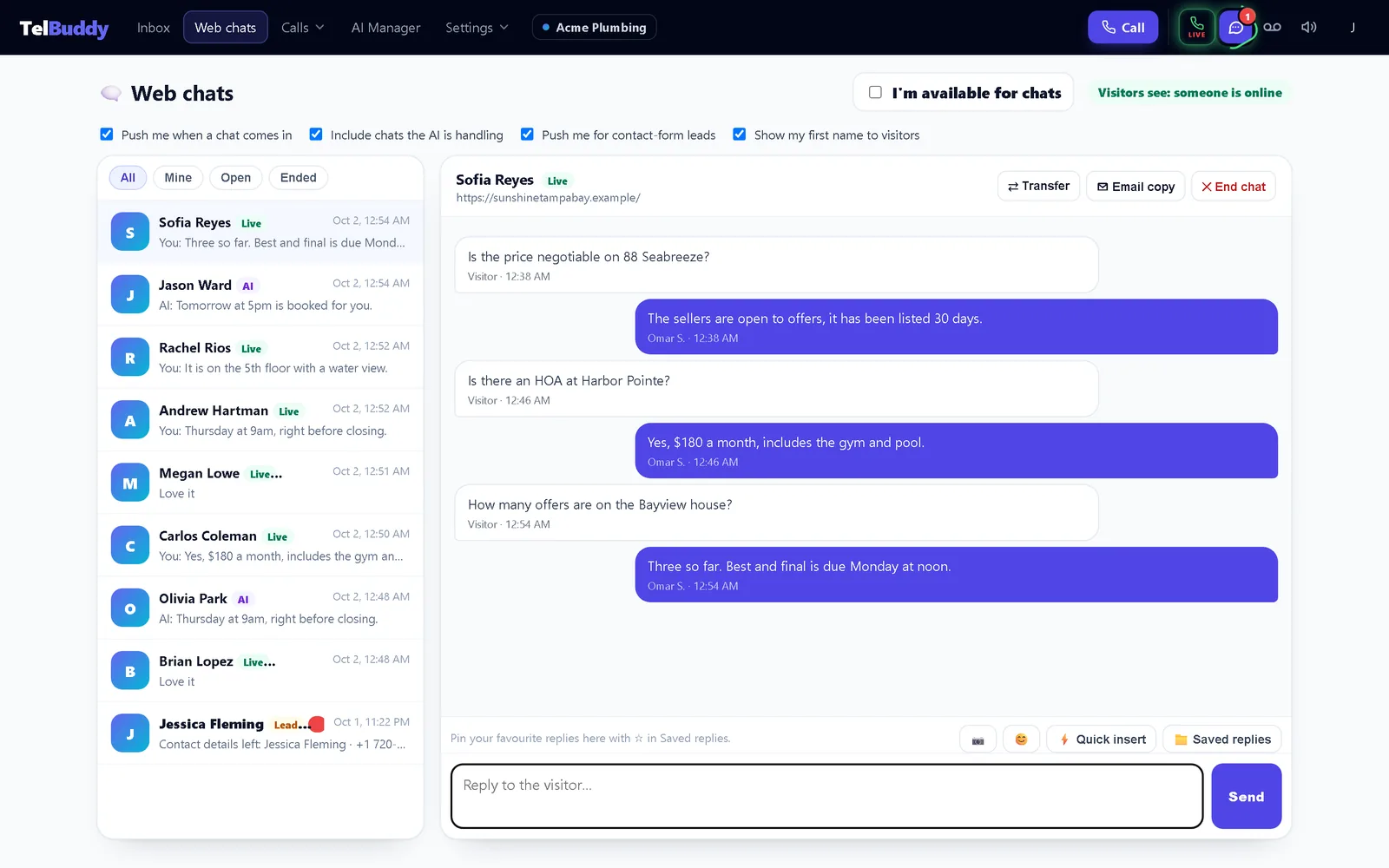
The buttons at the top of an open chat on Web chats cover the end of a conversation.
Overview: Website Chat docs
End chat
✕ End chat asks you to confirm, then tells the visitor the chat has ended and moves it to Ended. If the visitor writes again, the chat opens again on its own, with the history intact.
Transfer
⇄ Transfer lists your teammates, with a green dot for anyone available now. Pick one: the visitor sees who has their chat, and that teammate gets a push notification. The list shows "→ Name" so everyone knows who has it.
The first teammate to reply to a chat takes it automatically ("Yours").
Email a copy
✉ Email copy sends the visitor the whole conversation as a plain email, with photos as links.
- It only ever goes to an email the visitor gave you: on the contact form, or typed into the chat. There is no box to type an address, so it can never be used to email strangers.
- If the visitor has not given one, ask in the chat. Once they type it, it appears in the list.
- Up to 3 copies per chat, and one every 2 minutes. The chat notes each copy sent.
Filters
Above the list: All, Mine (chats you have), Open, and Ended.