Web app for your
Twilio or Telnyx phone system
TelBuddy is the browser dashboard for a number you already own in Twilio or Telnyx: shared team SMS and MMS, forwarding, voicemail, business hours, and a visual IVR builder in one place. An AI voice receptionist is available as an optional add-on (not in core plans or the free trial). No per-message markup from TelBuddy; you pay the carrier directly.
[14:02:11] 📞 Inbound Voice Call: +1555-0987
🤖 AI: Hello! Welcome. Are you calling for support or sales?
[14:02:45] 📩 Incoming SMS: "Just sent over the photos for the estimate."
🖼️ MMS Detected: Attachment_01.jpg
🚀 [VOICE TRIGGER] Transferring high-value caller to CEO...
Beyond Simple Texting.
Your business communicates in more than just text. TelBuddy is engineered to handle the full Twilio stack. From MMS rich media previews to PSTN Voice transfers, we turn complex API calls into a seamless B2B workflow.
GPT-Realtime Voice
Built for conversational voice when you use the AI add-on.
Rich MMS Preview
View images and docs directly in the thread without downloading.
The Unified Advantage
- ✓ Automatic Webhook Sync: We configure Voice and SMS URLs for you instantly.
- ✓ Centralized Usage: Track your Voice minutes and SMS credits in one clean dashboard.
- ✓ Your Data, Your Account: Voice and SMS data live only in your own Twilio account, never shared.
See It In TelBuddy
The real dashboard, not a mockup.
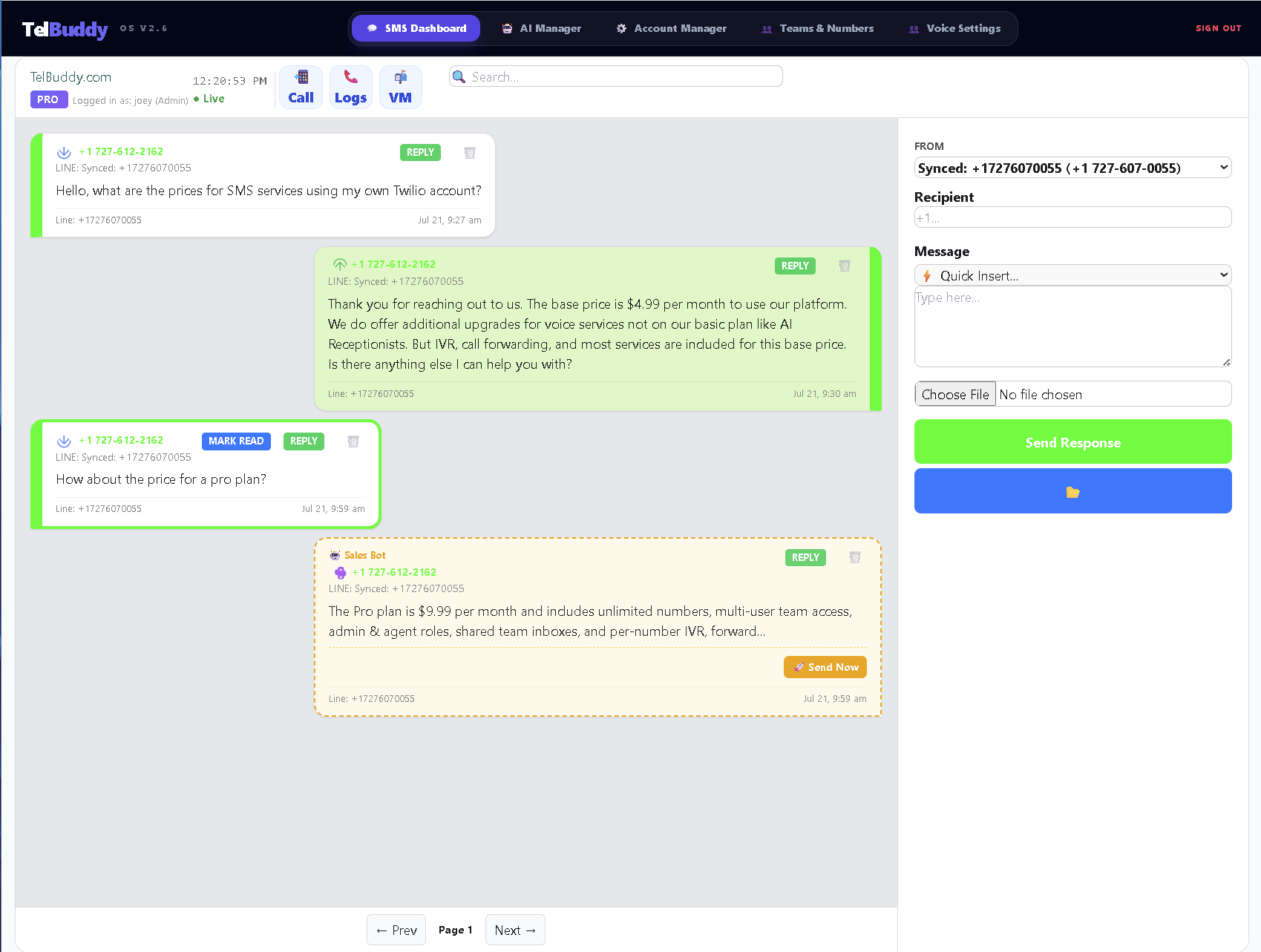
The Console was built for developers, not for Tuesday.
It is an excellent developer tool. It is a poor place to run a business from, and it was never trying to be one.
Working in the Console
✕ Every reply is an API call or a Console page
✕ One login, shared with everyone
✕ No idea which teammate answered
✕ Webhook URLs pasted by hand, per number
Working in a dashboard
✓ A shared inbox your team actually uses
✓ Separate logins with Admin and Agent roles
✓ Conversation history in one place
✓ Webhooks configured automatically
Three steps, then it is just a dashboard.
Nothing here needs a developer, and none of it involves writing or hosting anything.
Connect your carrier account
Paste an API key for Telnyx, or an Account SID and Auth Token for Twilio. That credential stays yours.
Sync your numbers
They import with their settings, and messaging and voice webhooks get pointed at the right place automatically.
Add your team
Invite people as Admin or Agent. Nobody needs the carrier login to answer a customer.
You keep the account. You keep the number. You keep the rates.
The dashboard sits on top of a carrier relationship that stays entirely yours. Cancel and the phone service carries on, because it was never ours to switch off.
↓
A few honest answers.
Do I still need the Twilio Console?
Only for things that genuinely belong there, which is billing, buying numbers and A2P registration. Day-to-day messaging, call routing and voicemail all move out of it.
Does it work on a phone?
Yes, it is a web app rather than a native one, and it adds to your iPhone home screen so it opens full screen like an app.
Who can see what?
Roles decide it. An Agent works conversations without reaching billing or your API credentials, which is the point of not sharing one login.
Is my data mixed with other customers?
No. Every company connects its own carrier account with its own credentials, and nothing is pooled or shared across accounts.
Own Your Twilio Infrastructure.
View Unified PlansExplore the rest of the app
- Shared team inbox
One thread per customer, visible to everyone on the team.
- Phone menu (IVR)
Build "press 1 for sales" without touching TwiML.
- Business hours routing
Ring the team when open, take a message when closed.
- How TelBuddy works
Why it runs on your own Twilio account rather than reselling you minutes.