Home / Docs / AI Features / AI Voice Receptionist: What It Can Do
AI Voice Receptionist: What It Can Do
The AI Voice Receptionist is a real, live, spoken conversation: the caller talks, the AI listens and responds in real time, and the exchange feels like talking to a person rather than navigating a menu of pre-recorded options. It is an optional paid add-on on top of any TelBuddy plan, not a default feature of the base membership, and it works on both Twilio and Telnyx numbers.
What "real time" actually means. The AI is not picking from a script of canned responses triggered by keywords. It processes what the caller says and generates a spoken reply on the fly, which is what allows it to handle a genuinely open-ended conversation rather than a fixed decision tree. A caller can ask a follow-up question, change the subject mid-call, or phrase something in an unexpected way, and the AI responds to what was actually said.
It knows when to hand off. The AI can transfer a call to a human when the situation calls for it, whether that is a caller directly asking for a person, or a topic the AI has been configured to escalate rather than attempt to handle itself. See AI Transfer Rules for how that is configured.
One honest carrier difference. On a Twilio number, a transfer can ring an entire team at once (a ring group), and whoever picks up first gets the call. On a Telnyx number, a transfer goes to one destination at a time. Every other aspect of the AI receptionist behaves identically regardless of carrier.
How its answers stay accurate. On its own, an AI has no specific knowledge about your business. Giving it a knowledge base (your own website content or documents) is what lets it answer real questions about your services, pricing, or policies instead of guessing. See Teaching Your AI With a Knowledge Base.
Usage is tracked precisely. Voice minutes the AI handles are metered per-second, not rounded up to the nearest minute, and count against your account's usage the same way any other voice minutes would.
Features at a glance
- Real two-way spoken conversation: not a "press 1" menu or keyword script
- Works on both Twilio and Telnyx numbers
- Can transfer to a human based on configurable rules
- Twilio transfers can reach a whole team at once (ring group); Telnyx transfers reach one destination at a time
- Answer accuracy improves with a configured knowledge base
- Can book appointments during the call with AI Appointment Setting
- Optional paid add-on, available on any plan
- Voice minutes tracked per-second
 ## How it differs from a phone menu
Both answer calls without a person, so it is worth being clear about what actually changes.
A [phone menu](/docs/ivr/building-first-menu) asks the caller to translate their problem into one of your categories. It works well when the categories are obvious and few. It works badly when the caller's reason for calling does not fit any of them, which is when people start pressing 0 repeatedly or hanging up.
The AI receptionist works the other way round: the caller says what they want in their own words, and the AI works out what to do with it. There is nothing to translate and no list to memorise.
Neither replaces the other. A menu is faster and more predictable for a small set of well-defined routes. The AI is better when questions are open-ended, when callers need an actual answer rather than a department, or when there is nobody available to take the call anyway.
## How it differs from a phone menu
Both answer calls without a person, so it is worth being clear about what actually changes.
A [phone menu](/docs/ivr/building-first-menu) asks the caller to translate their problem into one of your categories. It works well when the categories are obvious and few. It works badly when the caller's reason for calling does not fit any of them, which is when people start pressing 0 repeatedly or hanging up.
The AI receptionist works the other way round: the caller says what they want in their own words, and the AI works out what to do with it. There is nothing to translate and no list to memorise.
Neither replaces the other. A menu is faster and more predictable for a small set of well-defined routes. The AI is better when questions are open-ended, when callers need an actual answer rather than a department, or when there is nobody available to take the call anyway.
You can use both. A menu option can hand a caller to the AI, and business hours can send calls to the AI outside your opening hours. See business hours routing for the "team by day, AI by night" setup.
-
Make sure the add-on is active
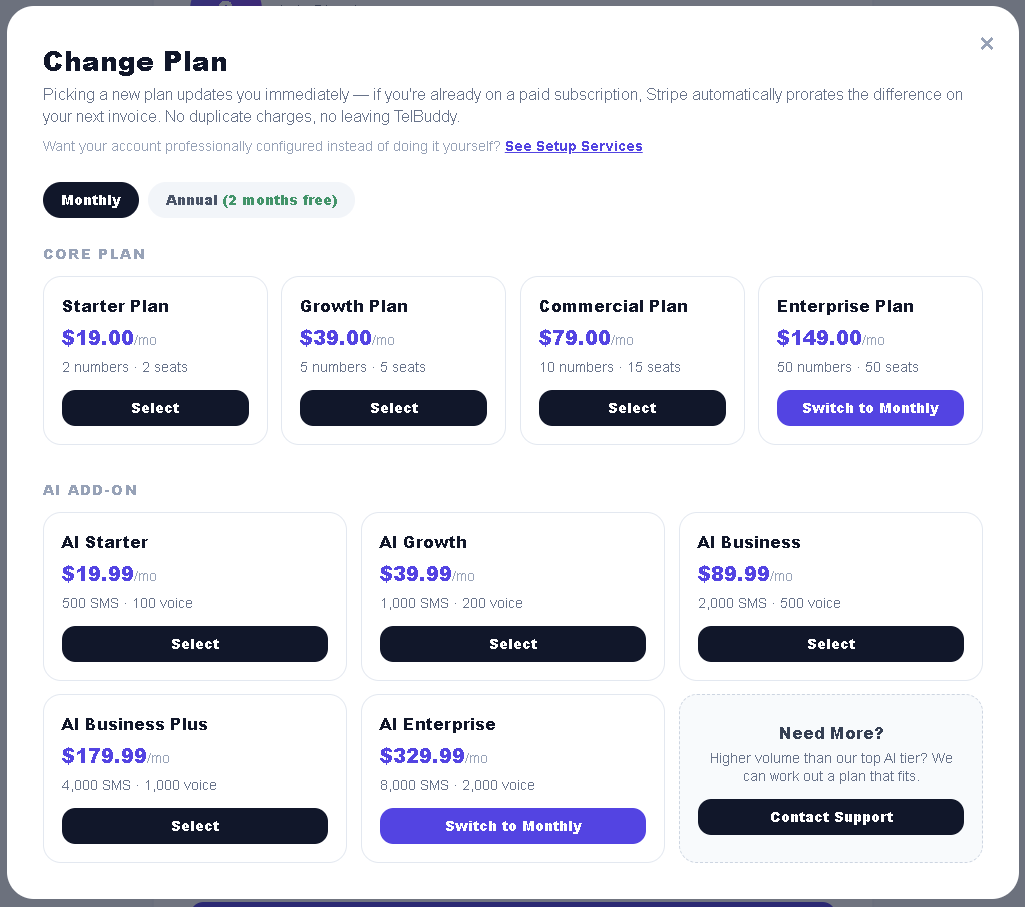
The AI receptionist is a paid add-on on top of your plan. If it is not active on your account, the AI options do not appear in Voice Settings at all.
You can add it from the Membership page. It is billed separately from your core plan and metered in messages and voice minutes.
Screenshot 2: the AI add-on on the Membership page
-
Create and configure your bot
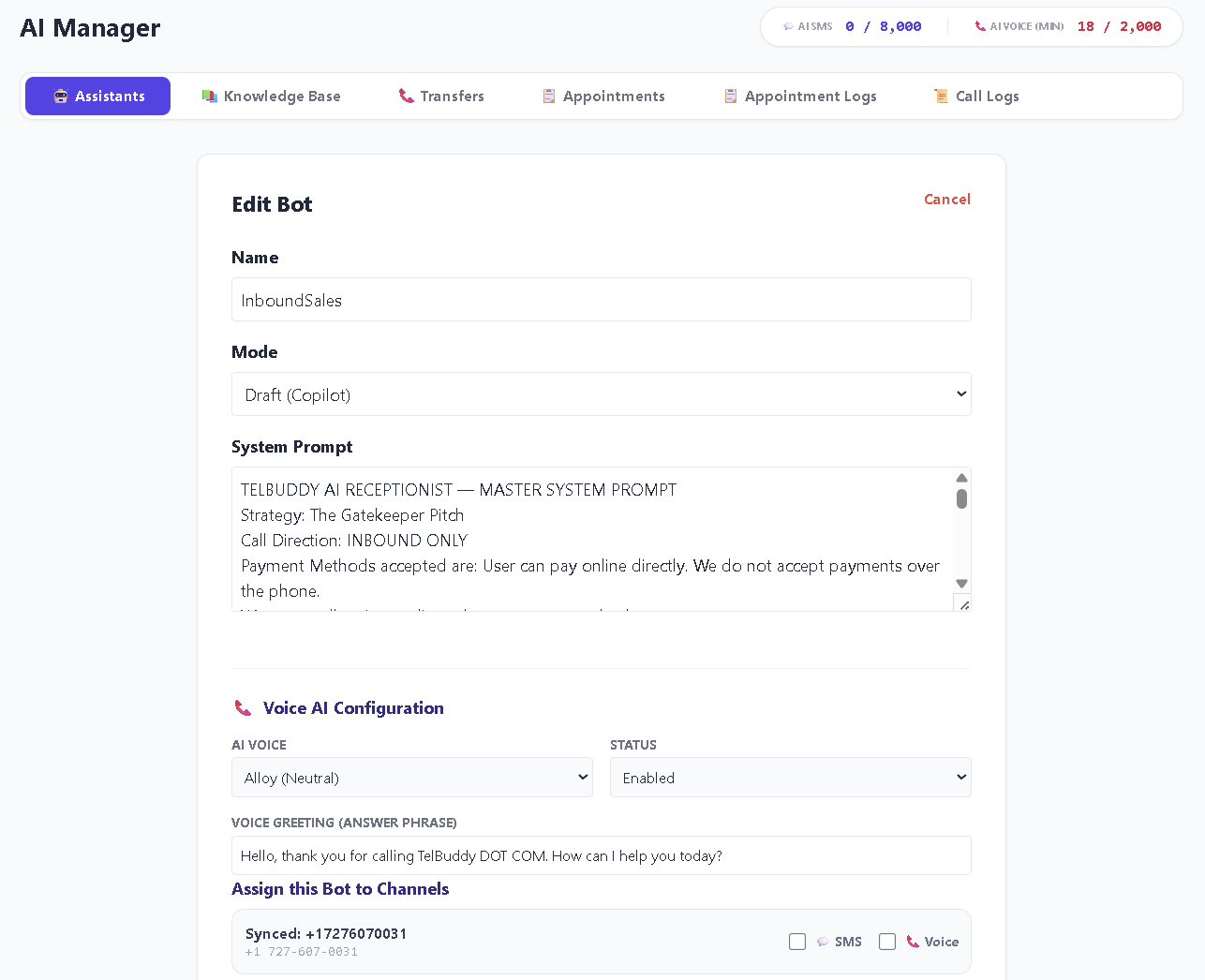
In AI Console, set up the bot that will answer: its name, its personality, and the instructions that shape how it speaks. This is also where you choose the voice.
Keep the personality instructions short and concrete. "Friendly, brief, and always offers to book an appointment" produces more consistent calls than a long paragraph of adjectives.
-
Give it a knowledge base
This is the step that decides whether the AI is useful or merely polite. Without it, the AI has nothing real to say about your business and will either give generic answers or guess confidently.
Connect your website content or upload documents covering the questions callers actually ask. See teaching your AI with a knowledge base.
-
Set your transfer rules
Decide what the AI should hand to a human, and where those calls go. An AI with no transfer rules will attempt everything, including the conversations it should not be having.
See AI transfer rules.
-
Assign it to a number and test
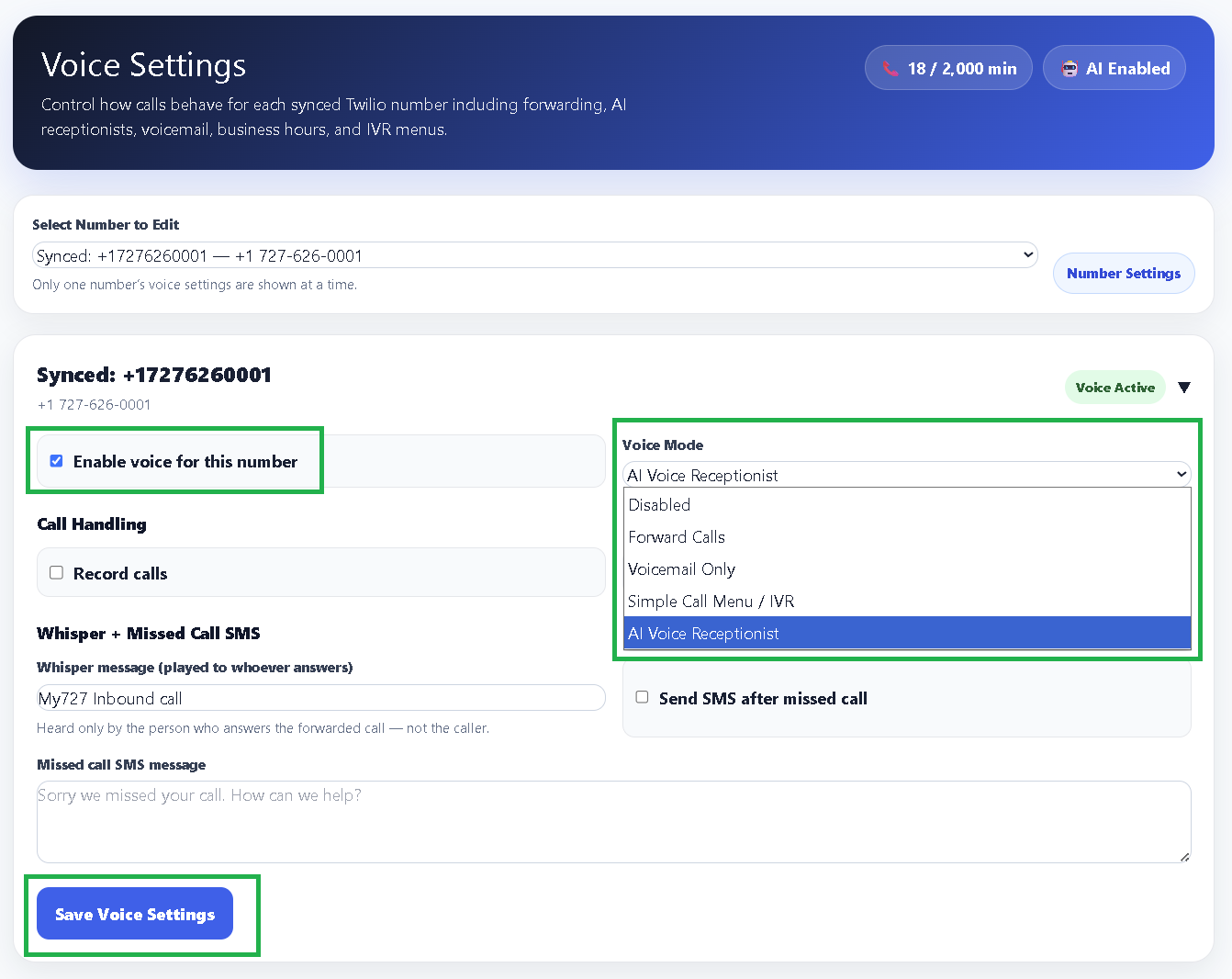
In Voice Settings, pick your number, set Voice Mode to AI Voice Receptionist, and save.
Then call it. Not a scripted test: ask it the awkward things a real customer would ask, including something slightly outside what your knowledge base covers, so you can see how it behaves at the edges.
Screenshot 4: assigning the AI in Voice Settings Voice Settings with Voice Mode set to AI Voice Receptionist.
Test with a real call before pointing your published business number at the AI. A confident wrong answer to a pricing question is worse than no answer at all, and the only way to find those is to go looking for them.
Because billing is per second, short calls really are cheap. A caller who asks one question and hangs up costs a fraction of a minute, not a whole one, which matters when a lot of calls are brief.