Home / Docs / Twilio & Telnyx / Twilio or Telnyx: What's the Difference
Twilio or Telnyx: What's the Difference
Inside TelBuddy, Twilio and Telnyx aren't two different products with different learning curves: they're two carriers behind the same dashboard, the same shared inbox, and the same feature set. Deciding between them is less about what TelBuddy can do with each, and more about your own existing account, pricing, and relationship with a given carrier.
What's genuinely identical between the two. The shared inbox, MMS support, message templates, AI-assisted texting (Draft and Auto Mode), call forwarding, voicemail, business hours routing, the IVR builder, the AI Voice Receptionist, AI Appointment Setting, and the in-app dialer all behave the same way whether the underlying number is on Twilio or Telnyx.
There are two places where the carriers genuinely differ. Both come from what each carrier's own API makes available, not from a choice on our side.
Difference one: transferring a call. When the AI Voice Receptionist hands a call to a human, a Twilio number can ring an entire team simultaneously (a ring group), and whoever answers first takes the call. A Telnyx number transfers to a single destination at a time instead.
Difference two, call logs. Both carriers show call history in the dashboard, but Twilio and Telnyx report it differently:
- Twilio shows the full history with no date limit, and clicking any call opens a details view with the complete record and any recordings.
- Telnyx shows the most recent 90 days, and there is no separate details view: everything Telnyx reports about a call is already shown on the log row itself, including a link to any recording. Telnyx call rows therefore aren't clickable, by design rather than by accident.
Nothing about how calls are handled changes, this affects only how much past history you can review in the dashboard.
TelBuddy doesn't push you toward either one. Beyond those two differences the feature set is equivalent, so the more relevant factors are usually outside TelBuddy entirely: your existing account with one of them, their pricing for your call and text volume, number availability in your area, or simply an existing business relationship.
Features at a glance
- Shared inbox, MMS, templates, AI texting, forwarding, voicemail, business hours, IVR builder, dialer: identical on both
- AI Voice Receptionist works on both: Twilio can transfer to a ring group, Telnyx to one destination at a time
- Call logs: Twilio has unlimited history plus a per-call details view; Telnyx covers the last 90 days with all its detail shown inline
- Everything else, including how calls and texts are actually handled, is the same on either carrier
- Which carrier to pick usually comes down to your own account and pricing, not TelBuddy functionality
Why the difference is this small
It is worth explaining, because most people expect the choice to matter more than it does.
TelBuddy is a bring your own carrier product. You keep your own Twilio or Telnyx account, with your own billing relationship, and TelBuddy drives it on your behalf. Calls and texts are handled by TelBuddy's own logic, and the carrier's job is to move them.
That means almost every feature you interact with lives on TelBuddy's side of the line, not the carrier's. Your IVR menu, your business hours, your AI receptionist, your shared inbox: none of those are carrier features being passed through, so none of them change when the carrier does.
The two differences that survive are precisely the two places where TelBuddy has to ask the carrier's own API to do something, and the two APIs answer differently.
This is also why switching later is not a rewrite. Your settings live in TelBuddy, not at the carrier, so moving a number to the other carrier does not mean rebuilding your menus, hours, or AI setup.
The transfer difference, in practice
This is the one worth thinking about before you decide, because it affects a live caller rather than a report you read afterwards.
On Twilio, a transfer target can be several phone numbers separated by commas. All of them ring at once and the first person to pick up gets the call. If one person's phone is off or they are already busy, someone else still catches it.
On Telnyx, the transfer reaches one destination. If that phone is not answered, the transfer is not answered.
How much this matters depends entirely on how you work:
- A team that shares incoming calls feels this difference immediately, because ring groups are exactly the problem they solve.
- A one-person business, or a team with a single designated phone for transfers, will not notice it at all. One destination is all you were ever going to use.
If you run Telnyx and rely on transfers, make sure the destination has voicemail. There is no second phone to catch the call, so an unanswered transfer needs somewhere to land. See AI transfer rules for how to set the destination.
The call log difference, in practice
Both carriers give you a call log in the dashboard, 20 calls per page, showing who called, when, and how long it lasted.
On Twilio, rows are clickable. Opening one gives you the full record Twilio holds for that call, including recordings, and history goes back as far as your Twilio account does.
On Telnyx, rows are not clickable, and that is deliberate rather than an oversight. Everything Telnyx reports about a call is already on the row, recording link included, so there is nothing behind a click to show you. History covers the most recent 90 days.
If you need call history older than 90 days on Telnyx, keep your own record of what matters rather than relying on the dashboard to still have it. For most businesses 90 days is well past the point anyone looks back.
So which should you choose
Since the feature sets match, the honest answer is that the decision is mostly made outside TelBuddy.
Already have an account with one of them? Use it. An existing account with numbers already on it, billing already set up, and any compliance registration already done is worth more than any difference between the two.
Do you rely on ring groups for transfers? That is the one functional reason to lean toward Twilio.
Compare their pricing at your actual volume. Per-minute and per-message rates differ, and which one is cheaper depends on your mix of calls and texts. Both publish their rates, and both bill you directly, so this comparison is between you and them.
Check number availability in your area. Neither carrier has every area code and every number type in every region. Sometimes the number you want simply exists at one and not the other.
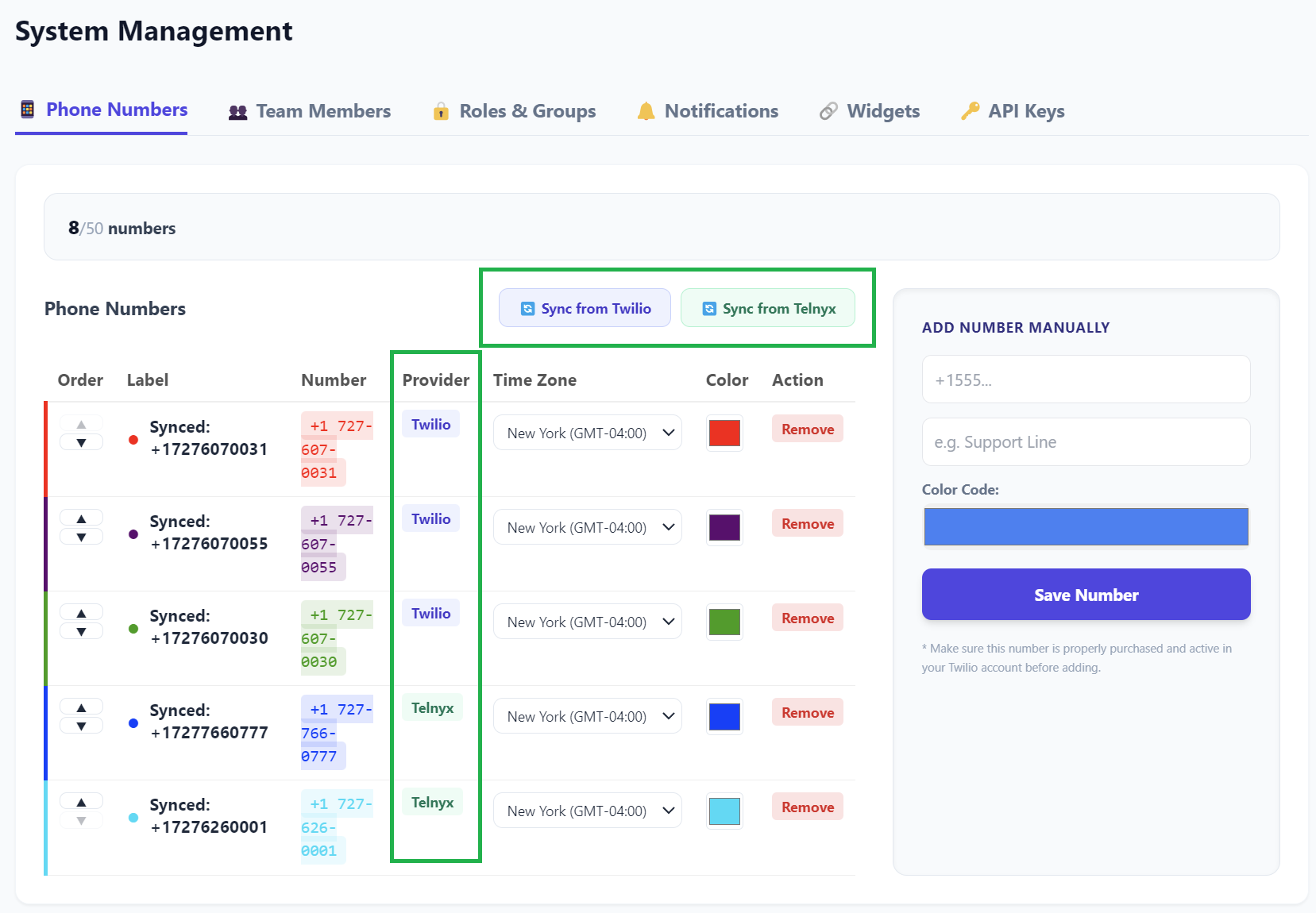
Still undecided? Pick either and get running. You are not locking yourself in: provider is set per number, so you can add numbers on the other carrier later without unwinding anything. See running Twilio and Telnyx at the same time.
What is the same, spelled out
Because "everything else is identical" is easy to skim past, here is what that actually covers:
Texting. The shared inbox looks and works the same, MMS sends and receives the same, templates apply the same, and AI Draft and Auto Mode behave the same. A teammate answering a conversation cannot tell which carrier it arrived on, and does not need to.
Voice routing. Call forwarding including simultaneous ring, voicemail with custom greetings, business hours routing, and the IVR builder with multi-level menus all run on TelBuddy's own logic and work identically.
AI. The AI Voice Receptionist answers on both. The knowledge base is the same. AI Appointment Setting books real Google Calendar events on both. Only the transfer behaviour differs.
The dialer. The in-app dialer places outbound calls showing your business number, on either carrier.
Contacts and notes. One contact record per number, the same notes log, the same attachments, regardless of carrier.
Getting started with either
Twilio: see Connecting Your Twilio Account.
Telnyx: see Connecting Your Telnyx Account.
Both connections live on the same page in TelBuddy and neither interferes with the other, so setting up one now does not close off the other later.