I Added a Call Queue to My Business Line and Stopped Losing Callers
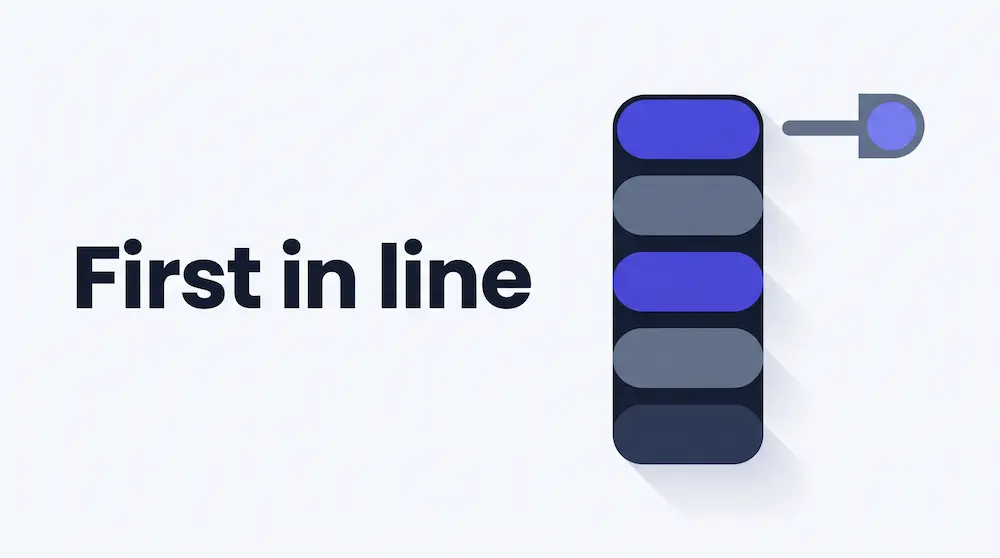
For a long time my business line worked like this. A call came in, it rang three phones at once, and whoever grabbed it first got it. If everybody was busy, the caller heard ringing until they gave up.
I lost a customer that way. Three people were free, the call rang a phone that was in somebody's coat pocket, and the caller left a voicemail I did not hear for two hours. By then they had called someone else. I had already read that every missed call is a customer calling someone else and had still built a system that produced them.
What I actually needed was a queue.
What a call queue does that forwarding does not
Call forwarding rings phones and hopes. That is genuinely fine for two people and a landline. It stops working the moment two callers arrive at once.
A queue answers everybody straight away, puts them in order, and rings your team one caller at a time. The caller hears a greeting and hold music instead of endless ringing. They keep their place in line.
The word that matters is order. Ring-everything has no memory: if three people call in the same minute, all three ring all your phones, and who gets helped first is decided by whoever happens to be nearest a handset. A queue knows who arrived first, and it knows who is already busy.
That is the difference between a phone that rings and a phone system.
Where the queue actually runs
This is the part I misunderstood at first, and it turns out to be the most important thing about it.
The queue runs on your own Twilio or Telnyx account. Your caller waits on your carrier's infrastructure, hears hold music served by your carrier, and is connected by your carrier. TelBuddy decides who to ring and when, then stays out of the audio path completely. That is the same arrangement as everything else on the platform: you own the carrier account, we own the dashboard.
Two things follow. Your call quality is whatever your carrier gives you, with no extra hop in the middle. And you are not paying for phone service twice, because the queue runs on minutes you already buy.
It also behaves identically whether your number is on Twilio or on Telnyx, which was not a given. When Telnyx support arrived a lot of features had to be built twice. This one did not.
Setting it up
In Voice Settings you pick a number and set Answered By to Call Queue. Save, and you have a queue. Then there are four settings, and people reliably get one of them wrong.
A greeting, spoken once before the caller enters the queue.
Hold music, looping while they wait. There are ready made tracks, or use your own file.
Maximum wait, which is how long somebody can hold before your fallback takes over. This is the one. Five minutes feels reasonable when you are typing it into a box. Five minutes is a very long time when you are the one holding.
A fallback, for when that wait runs out.
The full setup walkthrough covers each field, but those four are the ones worth thinking about before you turn it on.
The agents are just phones
An agent is a team member plus the number to ring. Any phone. A mobile is completely fine and there is nothing to install.
That surprised me. I assumed a call queue meant desk phones and a softphone on everyone's laptop, which is exactly the kind of project that never gets finished. It does not, and the reason is two rules that sound minor and are not.
One call at a time
An agent is only ever offered one call. While they are talking, the queue skips them entirely. That single rule is what makes an ordinary mobile work as a queue agent, because it removes any chance of a second call arriving mid-conversation.
A cool-off between calls
When a call ends, that agent gets a short break, thirty seconds by default, before they can be rung again.
I would have skipped this setting as fussy. It is the difference between a job somebody can do all day and a phone that starts ringing the instant they hang up.
Press 1 to accept
When the queue rings an agent, they hear who is calling and press 1 to take it. Only then are they connected.
This one is not optional, and the reason is specific. A mobile voicemail box answers faster than a person does, every time. Without a keypress, a caller who waited four minutes gets handed to somebody's voicemail greeting while the system records the call as answered. A voicemail box cannot press 1.
For the same reason, keep the ring time under about twenty seconds, because most mobiles give up around there.
Three misses and you are offline
Anybody who misses three calls in a row is set offline automatically.
This is the most useful rule in the whole thing and the least obvious. Without it, one person who left their phone in a drawer quietly absorbs a share of every single caller, and there is no symptom except that your queue feels slow for reasons nobody can point at.
Choosing how agents get rung
Four strategies, and the honest answer is that it depends on whether you care more about speed or about your carrier bill.
Round robin rings one agent at a time, longest idle first. Work is shared evenly and each call costs one leg.
Priority rings one at a time in an order you set, so experienced people get first refusal and everyone else is overflow.
Ring all at once rings every free agent together and the first to press 1 wins. Fastest for the caller, and the one to think twice about: it places one billable call leg per agent on every call, including the ones nobody answers. On a four person team that is four legs each time.
Ring the top tier at once blasts your best people together, then falls back to the next group.
I started on ring-all and moved to round robin inside a week. Not because of the cost, which was small, but because ring-all meant the same two fast people took nearly everything.
If you have been comparing this against dedicated call centre software, this is where the numbers actually live. The platform fee is predictable. The call legs are the part that scales with how you configure it, and that bill comes from your carrier, not from a reseller.
When the wait runs out
If nobody takes the call in time, the caller goes wherever you choose: an AI receptionist, voicemail, another queue as overflow, a forwarded number, or a spoken message and a hang-up.
The AI receptionist is the best of these if you have it. The caller has already waited. Giving them an actual conversation that can take a message, answer a question from your knowledge base, or book an appointment on the spot is a far better ending than a beep. If you are weighing that against hiring a service, the cost comparison is worth reading.
Queue-to-queue overflow is the one people do not expect to need until they do. Support can overflow into Sales at busy times. There is a hard limit of three queues per caller, so two queues pointing at each other cannot trap somebody in a loop, which is exactly the sort of thing you would otherwise discover at the worst possible moment.
Getting callers into a queue from somewhere else
This is where it stopped being a feature and started being a phone system.
A queue is not only a mode for a whole number. It is a destination that other things can point at.
From a phone menu. Any option in your phone menu can send callers into a queue. "Press 2 for support" drops them straight into the support line. Before this existed, the only way to do it was forwarding to a second phone number that had a queue on it, which meant a second billable call leg on every call and the agent seeing the wrong caller ID. If you have ever tried to build a press-1-for-sales menu the hard way, this is the piece that was missing.
From the AI receptionist. A transfer rule can name a queue, so a caller who tells the AI they want a person joins the line instead of being dialled out to a desk phone. That matters more than it sounds: dialling out has no safety net, and if nobody picks up the caller has already left the AI. In a queue they are still held, still in order, and your fallback still catches them.
From another queue, as overflow.
And because a queue belongs to your account rather than to one phone number, any number's menu can point at any queue. One support queue can sit behind five different product lines, which is the same reason a whole team can share one business number.
The part I did not expect to use
There is a live monitor that refreshes every five seconds: who is waiting and for how long, who is available or on a call or cooling off, and how many calls were answered or lost today.
Each waiting caller has a progress bar against your maximum wait, so you can see somebody about to time out while there is still time to do something about it.
I left it open on a second screen expecting to close it after a day. It is still open. Watching a queue back up in real time changes how you staff a Monday morning in a way that a weekly report never did.
That monitor comes with every plan, and so does the live call board, where you can hold, transfer or hang up a live call. And if your callers would rather not hold at all, queue callback lets them keep their place and get a call back instead.
What I would tell myself before starting
Set the maximum wait lower than feels right. Two minutes with a good fallback beats ten minutes of hold music. Nobody has ever been impressed by a long hold.
Leave press-to-accept on. Voicemail answering the call is not hypothetical, it is the default outcome without it.
Do not start with ring-all-at-once. It is the obvious choice and it quietly funnels most calls to whoever has the fastest thumbs.
Give your queues real names. I had two called "Call Queue" for a week and could not tell them apart in any dropdown.
Make agents mark themselves available. Being logged in is not the same as being ready to answer the phone, and a browser tab left open overnight is definitely not a person.
Check your business hours first. A queue with nobody rostered on is just a slower way to reach voicemail, and time zones are easier to get wrong than you would think.
Is it worth it
Setup took about fifteen minutes. What made it worth doing was not the hold music or the reporting.
It was that a caller now always gets answered by something, immediately, and always ends up somewhere deliberate. Before, my worst case was somebody listening to ringing and giving up, with no record it ever happened. Now the worst case is somebody who waited two minutes and had a conversation with an AI that took their details, and I can see it on a screen.
Read next
- Call Queues in TelBuddy, what is included and how it works
- Call Queues: the full setup guide, every field explained
- AI Transfer Destinations, letting the AI hand callers to a queue
- I Tested 3 Ways to Add an AI Receptionist
- Everything TelBuddy Does, the full feature tour
Frequently asked questions
Do my agents need desk phones or a special app?
No. An agent is a team member plus any phone number you want rung, and a mobile works fine. There is nothing to install. Because an agent is only ever offered one call at a time and gets a cool-off after each one, an ordinary mobile behaves correctly as a queue agent.
Does the call queue work on both Twilio and Telnyx?
Yes, identically. The queue runs on whichever carrier account the number belongs to, so your callers wait on your own carrier and nothing about the setup differs between the two.
What happens if nobody answers?
When your maximum wait runs out the caller goes wherever you choose: an AI receptionist, voicemail, another queue as overflow, a forwarded number, or a spoken message and a hang-up. They are never simply dropped.
Why do agents have to press 1 to take a call?
Because a mobile voicemail box answers faster than a person. Without a keypress, a caller who waited several minutes can be handed to a voicemail greeting while the system believes the call was answered. A voicemail box cannot press 1, so requiring it removes the problem entirely.
Can a phone menu send callers into a queue?
Yes. Any option in the call flow builder can point at a queue, so "press 2 for support" puts the caller straight in line. It needs no transfer to a second number, which means no extra call leg and no rewritten caller ID.
Can the AI receptionist put someone in the queue?
Yes. A transfer rule can name a call queue instead of a phone number, so a caller who asks for a person joins the line rather than being dialled out. If nobody picks up they are still held in the queue and your fallback still applies.
Does a call queue cost extra?
There is no extra platform charge. The queue runs on your own Twilio or Telnyx account, so you pay your carrier for the call time as usual. The setting that affects that bill most is the ring strategy: ringing every agent at once places one call leg per agent, and only one connects.
Call Queues in TelBuddy
Hold music, ring strategies, callback and a live call board on the Twilio or Telnyx number you already own.
