AI Phone Booking: Never Miss Another Appointment
There's a moment in every phone call that matters more than the rest of it. It's the moment someone decides: yes, I'll come in. Yes, book me. Yes, today works.
If you're not there to hear it, it doesn't wait for you. It moves on to the next name on their list.
The call you didn't take
You know the shape of it already. You're with a customer. You're on a job. You're driving. The phone rings, and you can't get to it: so it goes to voicemail, or it just rings out. Either way, whoever was calling is left holding a decision they wanted to make right then, with nowhere to put it.
Best case, they leave a message. You call back an hour later, or after close, and the moment's gone cold. Worst case, they don't leave a message at all. They just call the next business instead, the one that answered.
That's not a technology problem. That's a business walking out the door.
What we built instead
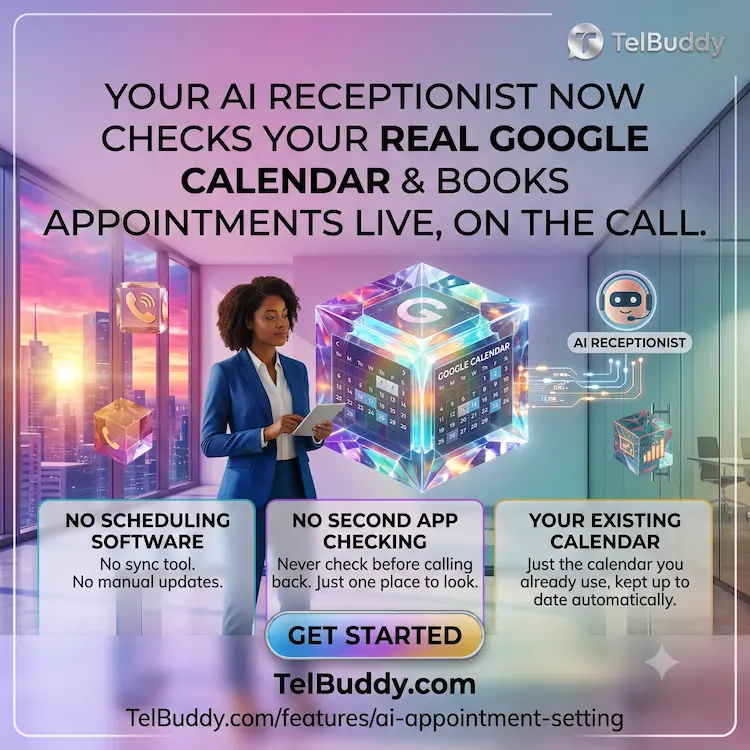
TelBuddy's AI receptionist doesn't take a message about an appointment anymore. It books the appointment. While the caller is still talking to it. Onto a calendar you already use.
Connect your Google Calendar once, and every call that comes in has a receptionist standing behind it who can see (actually see, in real time) what's open today, this week, this hour. Not a script that promises "someone will call you back." A real answer, given immediately, and a real appointment, sitting on your calendar the moment the call ends.
How it actually works
You'll notice we're not going to walk you through an API integration here. That's on purpose. From where you sit, it should feel like almost nothing happened:
You connect your calendar: pick which one, from a list of your own, nothing decided for you. From that point on, when a caller asks for a time, the AI checks it against what's actually open. If it's taken, it says so and offers something that isn't. If it's open, it confirms the time, gets what it needs from the caller, and books it. Done.
No separate scheduling software. No sync tool running in the background. No spreadsheet. The calendar you already check every morning is the same one that gets updated.
Everything in one place, on purpose
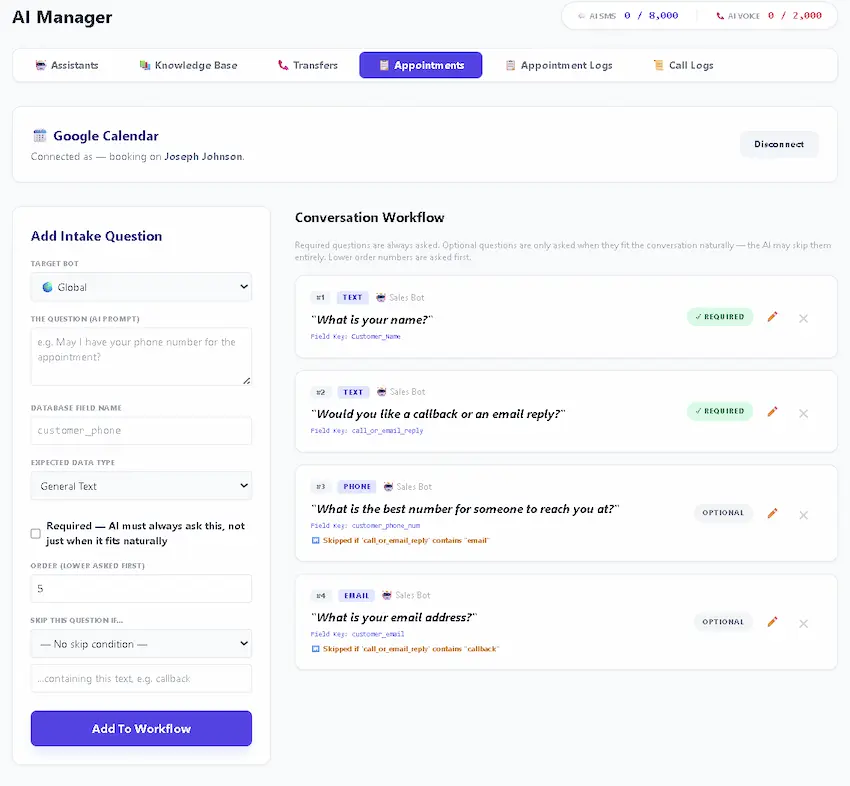
Open the appointment on your calendar and you won't just see a name and a time. You'll see the caller's phone number and anything else you've configured the AI to ask: right there, in the event itself. The idea is simple: when you're ready to call someone back, you shouldn't have to go looking in a second app to find their number. It should already be sitting in front of you.
The part we won't oversell
This isn't magic, and we'd rather tell you exactly what it is than let you assume something bigger. It checks a calendar. It asks the questions you've told it to ask. It books a real event. That's the whole trick, and it turns out that's the trick that matters, because the alternative isn't some more sophisticated system. The alternative is a missed call.
What it needs to know before it can book anything
An AI that answers the phone is straightforward. An AI that books correctly needs a handful of specifics, and getting these right is most of the work.
Your appointment types and how long each takes. A consultation and a full service are not the same length, and a system that treats them identically will either overbook you or waste half your day.
Buffer time. The gap you need between appointments to clean up, travel, write notes, or breathe. Without it the calendar fills to the minute and the day becomes unworkable by eleven in the morning.
Your real availability. Not your opening hours. The hours you can actually take booked work, which for most businesses is narrower.
What cannot be booked by phone. Almost every business has something that needs a human to assess first. Say so explicitly, or the system will cheerfully book it.
The calendar itself. Once connected, availability is checked live rather than promised and reconciled later.
Double-booking, and why buffers matter more than people expect
The failure people fear is two customers in one slot. The failure that actually happens is subtler.
A calendar with no buffer will book you at nine, nine thirty and ten. That is technically correct and practically impossible if each appointment runs five minutes over, because by midday you are forty minutes behind and every remaining customer is annoyed.
Set the buffer to what the job really takes, including the parts that are not the appointment. If you are consistently running late, the buffer is wrong, not the customers.
Callers who will not talk to an automated system
Some people hang up on anything automated. That population is shrinking but it is not zero, and pretending otherwise leads to a bad configuration.
Two things help.
Say what it is, immediately. Trying to pass as human is the thing that annoys people. A system that says plainly what it is and gets on with being useful tends to be tolerated well.
Give an obvious way out. Somebody who wants a person should be able to get one without arguing. That path existing costs you almost nothing and prevents the caller who would otherwise leave a bad review about your robot.
Confirmations, reminders, and the no-show problem
Booking the appointment is the easy half. Keeping it is the other half.
A confirmation immediately after booking gives the caller something to check, and gives you a written record of what was agreed. A reminder before the appointment is what actually reduces no-shows, and text works better than a call here because it does not demand anything of the recipient.
If you are appointment-driven, no-shows are usually a bigger revenue leak than missed calls, and they are easier to fix.
When it should hand off to a human
The whole design should assume this happens. Sensible triggers: the caller asks for a person, the request does not match anything bookable, the caller is upset, or the same person has called repeatedly in a short window.
One carrier note worth knowing. On a Twilio number, a transfer can ring an entire team at once and whoever picks up takes it. On a Telnyx number, transfers go to one destination at a time. Neither is wrong, but it affects how you set up the handoff if several people share responsibility.
What it will not do well
Worth saying, because a system oversold is a system that disappoints.
It handles the situations you anticipated. It will not improvise its way through a genuinely unusual request, and it should not try. It will not read that someone is upset in the way a person does, which is why the handoff triggers matter. And it is not a substitute for a human on calls where judgment is the product rather than scheduling.
What it is very good at is the large, boring majority: what time do you have, can I move my Tuesday, are you open Saturday. For most appointment-driven businesses that is the bulk of the phone ringing, and handing it over frees the calls that actually need you.
See it for yourself
Start today
If you're already on TelBuddy, this lives under the optional AI add-on, connect your calendar from the Appointments tab and you're set up in minutes. If you'd rather not touch a settings screen at all, we'll set it up for you.
Either way, the next call that comes in doesn't have to be the one that got away.
Property showings are the appointment this was built for first: travel time as the buffer, real calendar availability, and a booking made while the buyer is still on the phone. The detail is on the real estate page.
Frequently asked questions
Does the AI check my real calendar, or just guess at availability?
It checks your real, connected Google Calendar in real time before ever offering a caller a time. If a slot is taken, it won't offer it.
Do I need separate scheduling software?
No. It uses the calendar you already have. Connect it once, and every appointment the AI books appears there automatically.
What shows up on the calendar event?
The caller's name and phone number, plus anything else captured during the call — so you can call someone back without opening a second app.
Is this a separate cost?
No — it's part of the optional AI add-on, available on any TelBuddy plan. If you'd rather have it configured for you, that's available as a professional setup service.
What does an AI receptionist need before it can book appointments?
Your appointment types and their durations, buffer time between them, your real bookable availability rather than opening hours, an explicit list of what cannot be booked by phone, and a connected calendar so availability is checked live.
How do I stop an AI booking system from overbooking my day?
Set buffer time to what the job really takes, including travel, notes and cleanup. Back-to-back slots are technically correct and practically impossible if every appointment runs a few minutes over.
What about callers who refuse to talk to an automated system?
Say plainly what it is rather than trying to pass as human, and give an obvious route to a person. Trying to disguise it is what annoys people, not the automation itself.
When should an AI receptionist transfer to a human?
When the caller asks, when the request does not match anything bookable, when the caller is upset, or when the same person has called repeatedly in a short window.
Skip the Twilio Console entirely
TelBuddy turns everything in this guide into point-and-click settings: IVR menus, forwarding, voicemail, webhooks, and A2P sync, on top of your own Twilio account.
