Phone Menu and IVR Setup Services: We'll Set It Up
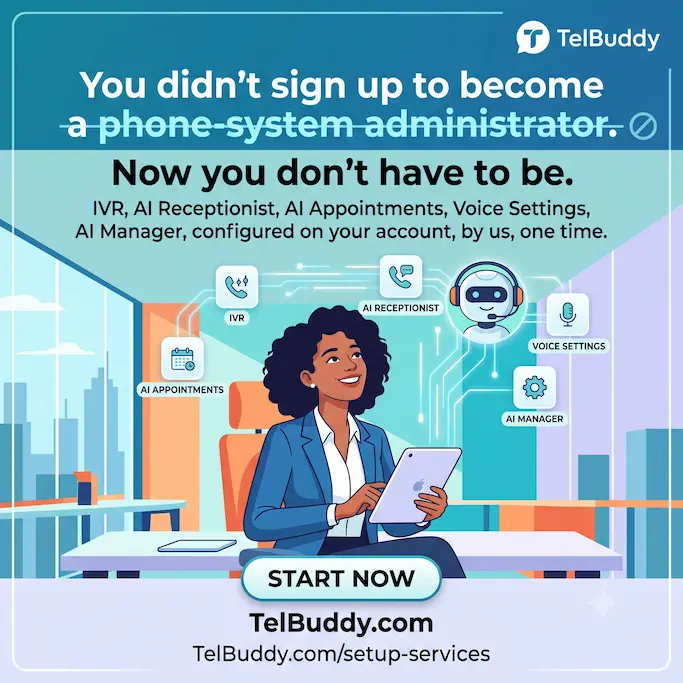
You didn't sign up to become a phone-system administrator.
You wanted a phone menu that routes calls correctly. An AI receptionist that actually sounds right. Appointments that book themselves. You didn't necessarily want to be the one building it, click by click.
So now you don't have to be.
Done for you, not just done alone
Every setup service is real work, done by a real person, on your account, not a tutorial, not a wizard you click through yourself.
- IVR / Phone Menu Setup: your "Press 1 for Sales" menu, built and tested.
- AI Receptionist Setup: configured, given a voice, given the right rules for transfers.
- AI Appointment Setup: your calendar connected, appointment types defined, ready to book.
- Voice Settings Setup: forwarding, voicemail, and business hours, set up correctly the first time.
- AI Manager Setup: your bot's personality and knowledge base, your team's roles, configured.
Need more than one? The Full Setup Bundle covers all five, for less than buying them apart.
Priced to fit, not one-size-fits-all
Every service is priced to your plan: a Starter account and an Enterprise account aren't the same amount of work, so they're not the same price. You'll see your exact price at checkout, based on your account.
On an annual plan? You get 50% off every service, automatically.
One payment. No subscription.
This isn't a recurring charge tacked onto your bill. You pay once, we do the work, you're done.
What actually happens after you buy one
The order of events is the same every time, and none of it is technical on your side.
You get a short intake form. It asks about your business, not about settings. Things like the top three reasons people call you, and who each of those should reach. Everything except your contact details is optional, and anything you skip gets covered on the call instead.
Someone contacts you within one business day. This is a conversation about how your business actually runs, not a screen-share where you watch someone click.
We build it on your account. Not a template applied to you. The configuration lands in your own dashboard, using your own numbers.
We place a real test call through it before handing it back, because a phone menu that looks correct in a settings screen and a phone menu that sounds correct to a caller are two different things.
You keep everything. It stays fully editable, there is no lock-in, and there is no ongoing contract attached to the work.
Why the questions are about your business, not your settings
This is deliberate, and it is the part that surprises people.
We do not ask how many menu options you want or how long the timeout should be. Those are our decisions to make well. We ask what your customers are calling about, which of those calls make you money, which ones waste your time, and who on your team should never be interrupted.
A phone menu is a business decision wearing a technical costume. Somebody who knows their trade but has never built an IVR will give better answers to the first set of questions than the second, and the second set is our job.
What a good phone menu actually looks like
Since this is the service people buy most, here is what we build toward, whether we do it or you do.
One level, not four. The single most common mistake is nesting menus inside menus. Every layer loses people. Almost every small business can be served by one level.
Three to five options, maximum. Callers cannot hold seven items in their head. By option six they have forgotten option two and they press zero.
Most common reason first. Not most important to you. Most frequent for them. If seventy percent of calls are booking, booking is option one.
Always a path to a human. Every menu needs an escape hatch, stated out loud. "Press zero at any time to speak with someone" prevents more frustration than any other single line.
Hours and address come after the options, not before. Making somebody listen to your opening times before they can pick anything is how you train people to hang up.
Say the option before the number. "For booking, press one" beats "press one for booking," because the caller knows what they are listening for before the number arrives.
Should you just do it yourself?
Honest answer, because you can, and for a lot of businesses you should.
Do it yourself if you have one number, straightforward routing, and an hour to spend. The IVR builder is drag and drop, and there is nothing hidden behind the setup service that you cannot reach.
Consider having it done if any of these are true: you run several numbers or several locations, you need different behaviour in different time zones, you want the AI receptionist configured with transfer rules that actually make sense, or you have already started and it is sitting half-finished because you got pulled back into running your business.
That last one is the real reason most people buy it. Not that it is difficult, but that it is the sort of task that never reaches the top of the list.
What a setup service cannot do
A2P 10DLC registration. That happens directly between you and your carrier, using your real legal and tax details, and no third party can complete it on your behalf. Anyone claiming otherwise is describing something that does not exist.
If you are registering around the same time, start here, and if you do not have an EIN, read this first because it changes which path you should take.
A realistic timeline
The intake form takes ten minutes. The call is usually under an hour. The build and the test call happen after that, not while you wait.
The most common scheduling mistake is buying a setup service the same week you need the number live. Give it a little more room than that, particularly if texting is involved, because carrier registration runs on its own clock and nothing here can speed it up.
Get started
Head to telbuddy.com/setup-services, pick what you need, and check out. We'll be in touch within a business day to get it done.
Frequently asked questions
Is this a subscription?
No. Every setup service is a one-time payment — no recurring charge.
How is the price determined?
By your current plan — bigger plans mean more numbers and seats to configure, so the price scales accordingly. You'll see your exact price at checkout.
What happens after I pay?
Our team reaches out within one business day to confirm the details, then configures it directly on your account.
Do I need to already have a TelBuddy account?
Yes — setup services configure your existing account, so you'll need to be signed in to purchase one.
Is there a discount for annual plans?
Yes — 50% off every setup service, applied automatically at checkout if you're on an annual core plan.
How many options should a business phone menu have?
Three to five, on a single level. Callers cannot hold seven items in their head, and every nested layer loses people. Put the most frequent reason for calling first, and always state an option to reach a human.
What happens after I buy a setup service?
You get a short intake form about your business rather than your settings, someone contacts you within one business day, the configuration is built on your own account, and a real test call is placed through it before handover. It stays fully editable and there is no ongoing contract.
Should I set up my phone menu myself instead?
If you have one number, simple routing and an hour, yes. Consider having it done if you run several numbers or locations, need different time zones, want AI transfer rules configured properly, or already started and it is sitting half-finished.
Can a setup service handle A2P 10DLC registration for me?
No. Registration happens directly between you and your carrier using your real legal and tax details, so no third party can complete it on your behalf.
Skip the Twilio Console entirely
TelBuddy turns everything in this guide into point-and-click settings: IVR menus, forwarding, voicemail, webhooks, and A2P sync, on top of your own Twilio account.
